4 Most Common Flowchart Symbols
Top 4 Flowchart Symbols in Use
Although there are many flowchart symbols that can be used, there are 4 main symbols that are most important. In fact, you really need only these 4 in most cases:
- Process Symbol:
Process - Flowchart Symbol

Process
Process Symbol represents a step in a process. This is the most common component of a flowchart.4
- Terminal Symbol:
Terminal - Flowchart Symbol

Terminal
Terminal Symbol indicates the beginning or end of a flowchart. This symbol usually has the text “Start” or “End”.
- Flowline Symbol:
Flowline Flowchart Symbol
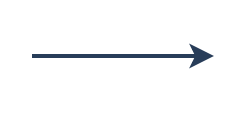
Flowline
Flow lines indicate the process’ direction. Each flowline usually connects two blocks. Flowlines can be straight lines, uni-directional arrow, or both-sided arrows, representing different kinds of connections between the steps.
- Decision Symbol:
Decision Flowchart Symbol

Decision
Decision Symbol indicates a step that decides the next step in a process. This is commonly a Yes/No or True/False question.