MBA Navigation

There are two aspects to navigating Your Climate Change MBA.
- First are the inter-locking Climate Sites that make up Your Climate Change MBA
- Second are the linkages between Your Climate Change MBA and the full Climate Web.
Navigating the Climate Sites
Navigating the inter-locking chapter and sub-chapter Climate Sites of Your Climate Change MBA is very simple. The Table of Contents to the entire Your Climate Change MBA is always available at the right of your screen, allowing you to move between chapters. You can always tell you’re starting a new chapter or sub-chapter by the “Climate Knowledge” image (similar to the one at the top of this page). When you start a new chapter or sub-chapter you’ll see its “pages” organized to the right of your screen. You can also open chapters and sub-chapters in new browser tabs by right-clicking on the links.
Climate Web Navigation Tips and Tricks
- The "HOME" thought is always available at the top of your screen to bring you back to the "front door" of the Climate Web.
- CLICK on a thought to center it on your screen. Thoughts can be linked to “parent,” “child,” or “jump” thoughts (jump thoughts link to the left of a thought).
- HOVERING over a thought will show any information contained in its “Label,” while HOVERING over any Thumbnail Image (at the far left of a thought) will EXPAND the image to full size (can take 2-5 seconds on-line). (NOTE: We're gradually transitioning thumbnail images into the Notes field for easier viewing)
- Thought "GATES," are the small circles just below, above, and to the left of all the thoughts on your screen. Empty circles signal that there are no thoughts attached to that Gate that you can't currently see. Solid green Gates indicate the presence of thoughts you aren’t seeing right now. Clicking on a thought will make those thoughts visible.
- The Notes Field (where you are right now) contains any explanatory text, as well as PDFs, URLs , or videos linked to an individual thought. The small triangles at the bottom of the dividing line between the Notes Field and the "Plex" can open or close the Notes field (we do use the Notes field extensively, so would recommend you keep it open). But you can drag the bar between the main Notes Field and Plex to resize either.
- If you are accessing the Climate Web on-line, you can only retrace one step via your Browser's Backspace key. But there is also a breadcrumb trail at the bottom of the Plex that may show more than one of your activated thoughts.
- You can SEARCH the Climate Web. The on-line and desktop search capabilities are different. Click on the appropriate link for more information. Web Search Function Desktop/Laptop Search Function
- Perhaps the best way to explore the Climate Web on-line is through its Index. You can learn much more about the Index and how it works at this thought.
- To give you a better sense of the thousands of topics and topical collections you can access in the Climate Web, click on the "Advanced Elements - Dashboards" thought in the Plex at left.
- We use visual icons to tell you something about thoughts you are seeing in the Climate Web. Different kinds of thoughts have different icons and often different colors as you can see in the Legend just below. “Headings” refer to thoughts we used to organize the associated subsidiary materials. “Sources Headings,” for example, organize “Individual Sources.”
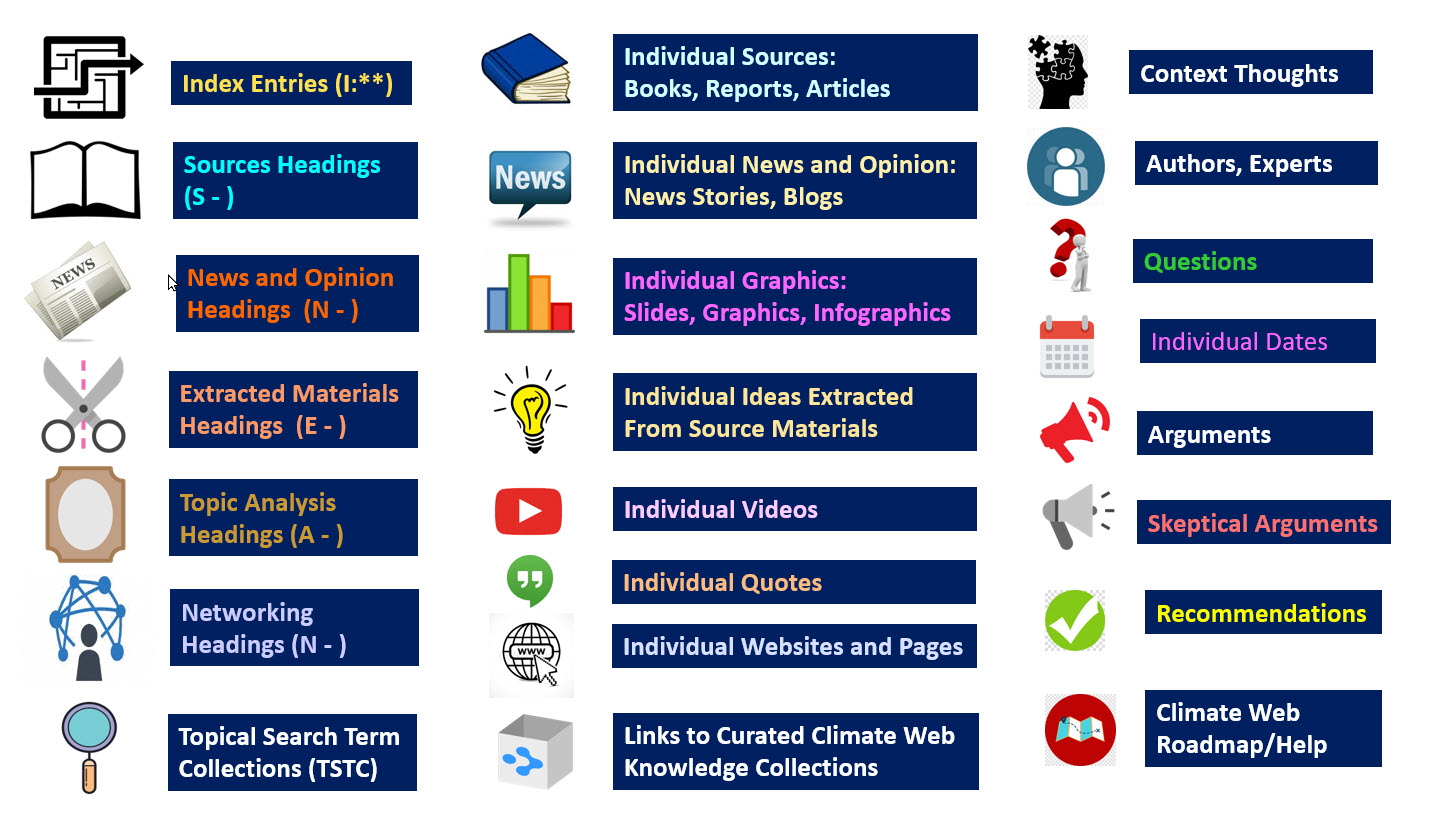
That's all you really know to navigate the Climate Web. Much more information is available through the two Child thoughts linked to this one in the Plex at left, as well as the HELP, VIDEOS, and FAQs thought pinned to the top of your screen.
Note that if you have purchased Premium Access to the Climate Web, and downloaded it to your own computer, your user experience will be far superior to accessing it over the internet. We’ll provide you with a customized version of Your Climate Change MBA where all of the links into the Climate Web will activate the links in your downloaded copy of the Climate Web, rather than opening up in the cloud-based version of the Climate Web.