Hover Benefits
The Climate Web includes tens of thousands of URLs, whether links to documents in the cloud, links to videos, links to news stories, and links to websites. In the on-line Climate Web most of these links are represented as URLs that you have to specifically click on to open them in your browser, and then close them.
With Premium Access, however, it’s as if all of those documents, videos, websites, and news stories are part of the Climate Web itself. You can see in the image below how the URL attached to the thought in the screenshot opens up instantly and automatically to the right of your screen, allowing you to read it there. You can do the same for documents, videos, websites, and more.
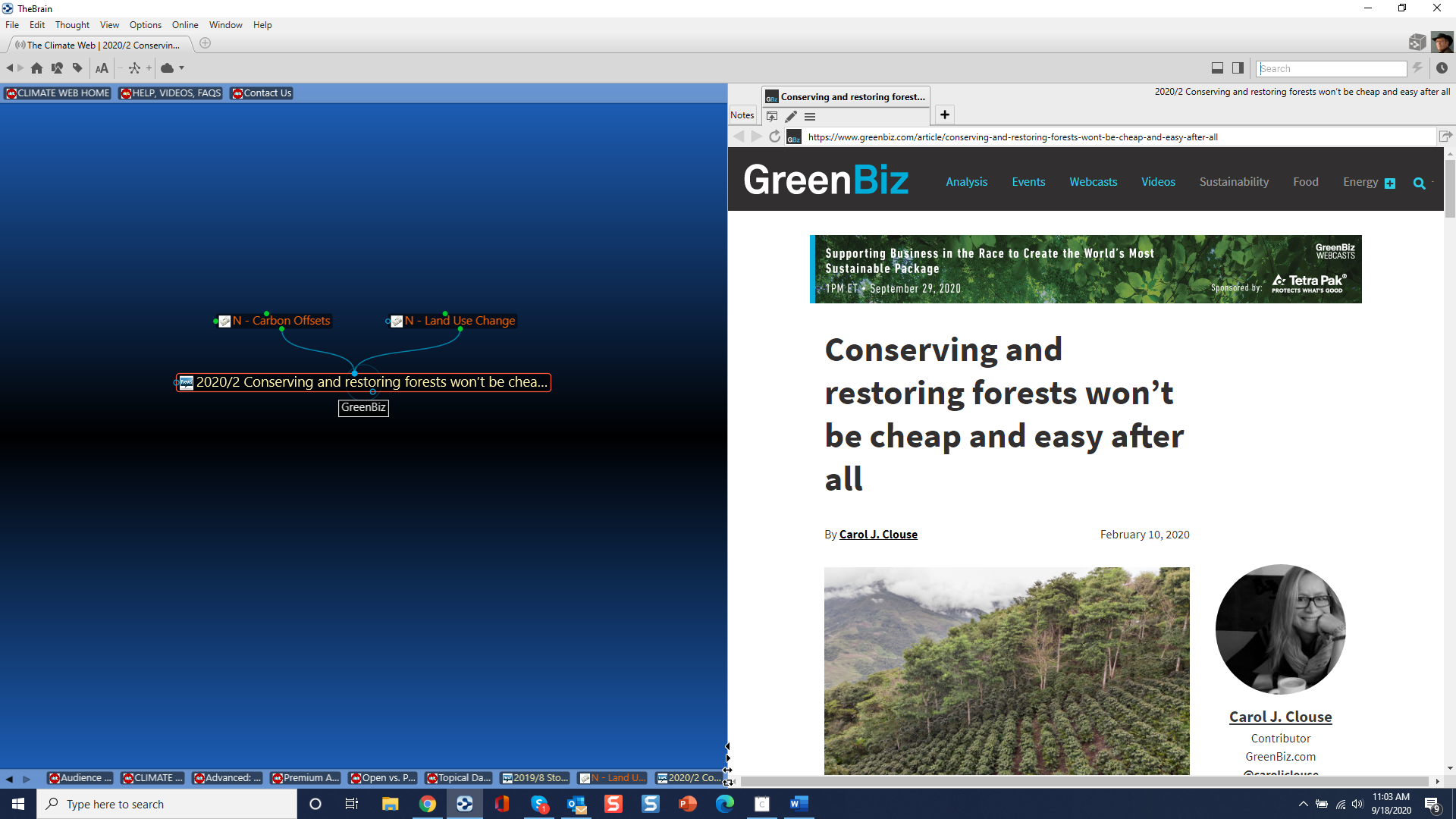
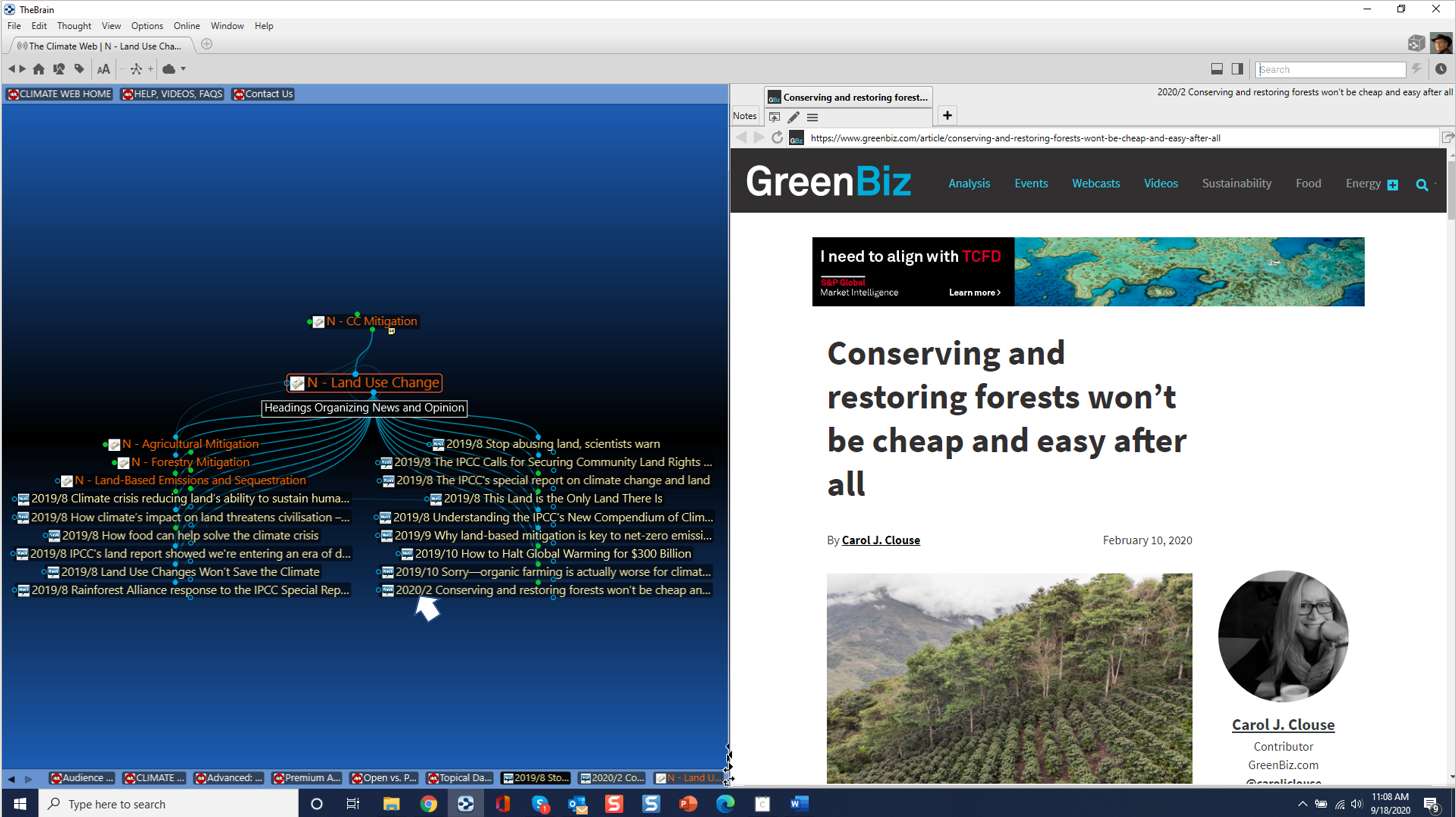
In fact, simply hovering your mouse over a thought will activate the URL as shown in the image below. This makes it possible to scan dozens of URLs and attachments in moments without having to even click on them individually.
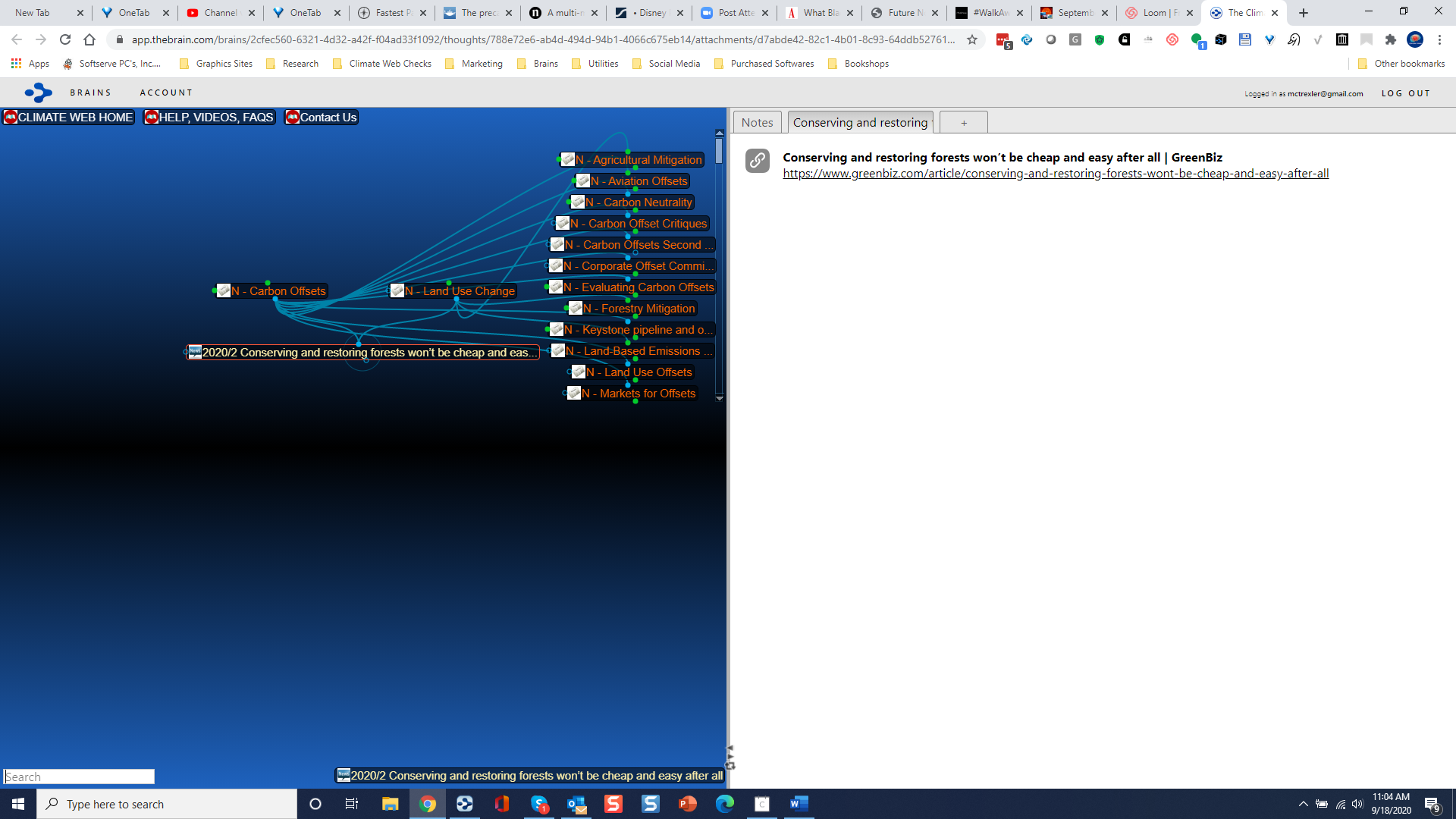
As described above, if you’re accessing the Climate Web on-line (open access) you have to click on each thought individually to get access to its URL, and then click on the URL itself to open it in your browser, after which you have to close that tab and then return to the Climate Web’s browser tab. It certainly works, but it's a far less satisfying user experience.
All in all, Premium Access makes the Climate Web even more powerful, and serves as a BIG time saver for users. You can even take great advantage of Premium Access with the FREE version of TheBrain software, although TheBrain Professional does offer more options for visualizing, searching, and filtering Climate Web content as described here.