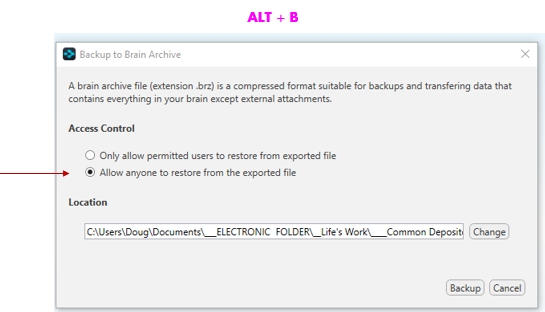
ALT-S IN & OUT! |
FIRST, MAKE SURE AUTOMATIC SYNCING IS TURNED OFF
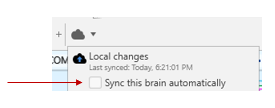
ESSENTIAL To Prevent Overwriting Each Others Work.
- Data Integrity is protected by schedule to exclude making changes at same time.
- But if either one fails to upload latest changes, the other will make changes and upload those
- Then when the first does more work and uploads that, it will overwrite the first person’s changes
- Because those were not incorporated in the second person’s version
- THEREFORE IT IS CRITICAL TO:
- Manually Sync immediately upon opening to incorporate other person’s changes so your don’t overwrite them.
- Manually sync upon closing to incorporate your chanages so you don’t overwrite their next changes.
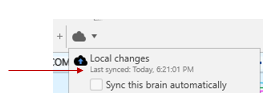
WHEN DONE, CHECK UNDER THE CLOUD DROP DOWN TO INSURE THE LAST SYNC WAS JUST NOW!
ALSO STORE A BACKUP COPY ON YOUR HARD DRIVE in the folder designated “ARCHIVES”
Make sure it is saved with permissions for others to make changes. These can be used to restore in the event of overwriting, WHICH MUST NEVER HAPPEN!