Additional Search Functionality
Search has several additional capabilities that are automatically enabled.
- You can find and execute commands from the Search box. To begin, type a forward slash (/) in the Search box. An alphabetical list will appear. The list will be fine-tuned to match what you type. This option can also be accessed from the Search Commands and Preferences option under the Help menu.
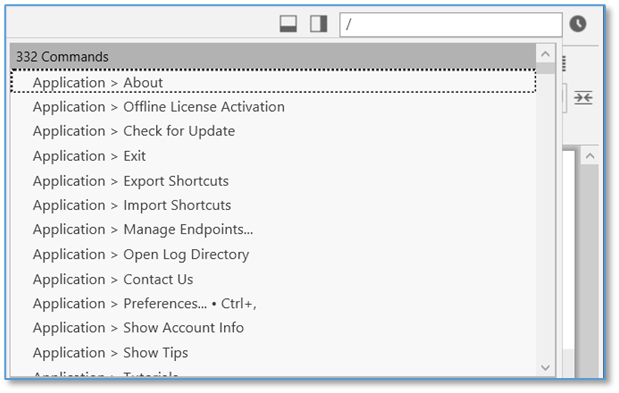
Figure 37. Executing a Command from the Search Box
- External attachments are included in search results
- Search using acronyms (ex. find "New York Stock Exchange" by typing "nyse")
- Search for thoughts starting with punctuation. You may use this as a shortcut to provide fast access to thoughts that you always start with a certain type of punctuation. For example, you could use this for people (@Mike, @Sally, @Debbie, etc.) or projects (#Ridgeline, #Palmdale, #Westly, etc.)
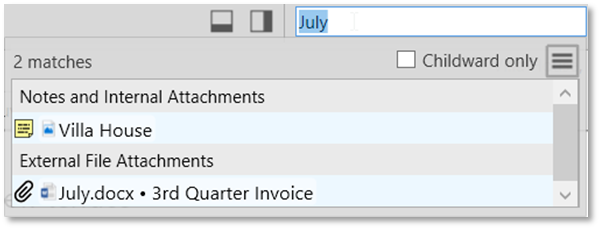
Figure 38. Search Results for Both Internal and External Attachments
- Below the search box is an option for searching Childward only. Selecting this option will limit the search results to 3 generations below the current active thought.