Collapsing and Expanding Notes Sections
You can collapse sections of your notes based on headings, tables, and list items. This helps you navigate through large documents more easily. Collapsing lets you focus on a particular area while writing or reviewing content. When you’re ready, you can expand any or all sections.
Two ways to expand or collapse Notes sections:
- Hover over the area to the left of the notes, then click the down-arrow to the left of the section to collapse the entire list. This symbol will become a right-arrow which you can click to expand the section.
Or
- Right-click in the area where there are notes, then click an option of your choice. Optionally, before you right-click, click in a specific section if you want to collapse or expand just that section.
Choices on the context menu include: Collapse All Except Here, Expand All, Collapse All, Expand Here, and Collapse Here.
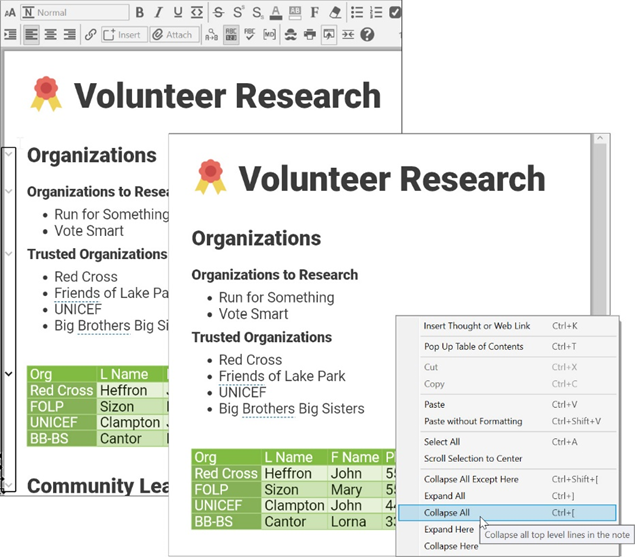
Figure 198. Options for Expanding or Collapsing Note Sections