Find and Replace
Find and replace all occurrences of text within thought names and labels, link labels, external attachment paths and URLs
Includes support for regular expressions
Changes are undoable however it is still highly recommended that you create a brain Archive (.brz) prior to performing a large Find and Replace operation on an important brain
To begin replacing:
- Open the File menu, select Utilities, then select FindandReplace.
- Enter the text to be replaced and the text to replace it with.
- Specify where the text occurs. The available locations are:
- Thought Names
- Thought Labels
- Link Labels
- External Attachment Paths
- Attached URLs
- Use the check boxes to specify whether letter case is to be ignored and if you want to use regex (regular expressions, which allow sophisticated pattern matching capabilities).
- Preview your results prior to executing the change and click Replace when you’re ready.
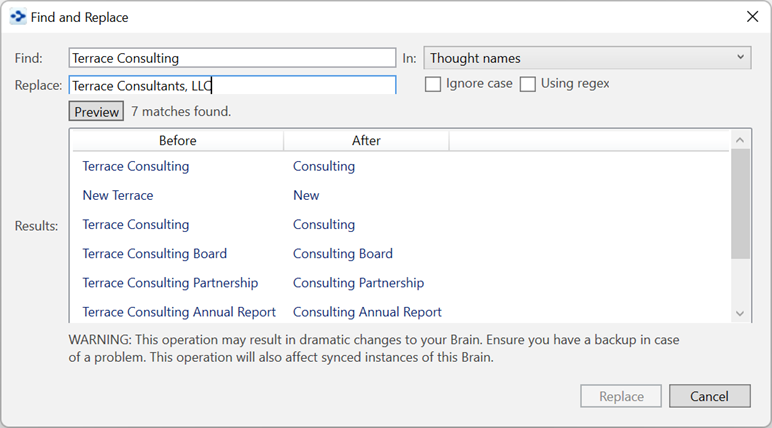
Figure 276. Find and Replace
Additionally, the content area toolbar has its own Find and Replace functionality.