Link by Using the Selection Panel
Thoughts in the Selection panel can be linked to the active thought using the Selection menu:
- Select the thought or thoughts you want to link using
Ctrl + click(Cmdon macOS) or by holding down theCtrlkey (Cmdon macOS) as you drag a box around the thoughts if they’re next to each other.
- Activate the thought in the plex to which you want to link.
- Right-click the Selection panel, then click the link command of your choice in the context menu.
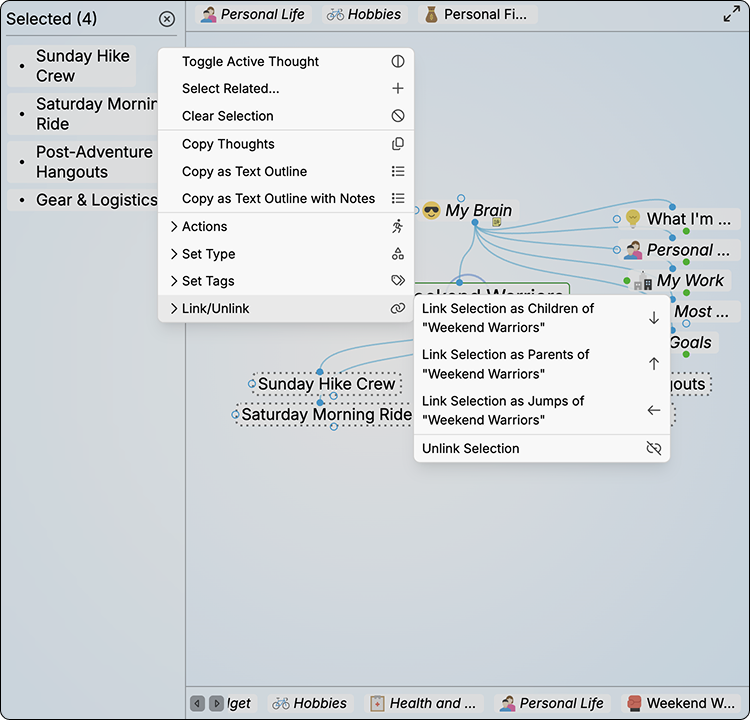
Linking Using the Selection Panel