Plex Settings
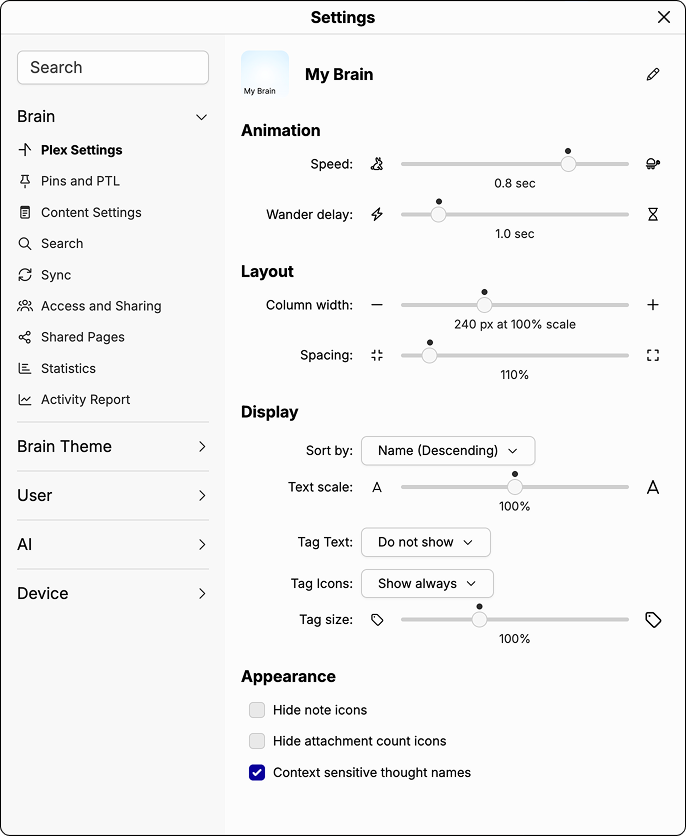
This panel lets you customize the look and feel of the Plex. Settings are organized into four sections:
- Animation: controls how fast TheBrain animates when navigating between thoughts and how long it pauses on each thought during Wander mode.
- Layout: adjusts the column width and spacing between thoughts in the Plex.
- Display: controls how information is presented in the Plex, including sort order, text scale, and how tags and tag icons appear on thoughts.
- Appearance: toggles for note icons, attachment count icons, and context sensitive thought names.
Plex Settings