Inserting Horizontal Rules
You can insert horizontal rules (lines) for organizing notes into sections visually.
- Click in the note where you want the horizontal rule to appear, click the Insert button, then click the Insert Horizontal Rule command.
- Horizontal Rules can also be added manually by typing 3 hyphens, even when Markdown is hidden.
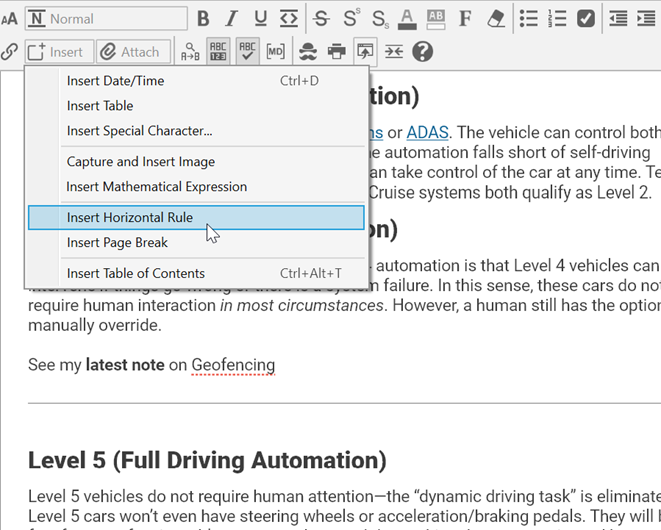
Figure 213. Inserting a Horizontal Rule
 Typing 10 hyphens will create a Page Break in the note; however, this option is only enabled when Show Markdown is activated.
To remove a horizontal rule:
- Click within the rule to select it, then press the Delete key. If there is a rule between two paragraphs, the rule will also be deleted if you select and delete the paragraphs before and after it.