Note Viewing Options
TheBrain formats its notes using markdown. Users have the option of either viewing the markdown syntaxes (formatting tags) while editing, or staying in a WYSIWYG editor and using the buttons in the content area toolbar for all formatting. The option to toggle on/off this setting can be found in Preferences under the Notes Editor tab. Look for the Show Markdown checkbox. Additionally, you can switch this setting with a button in the content area toolbar with the Show Markdown button.
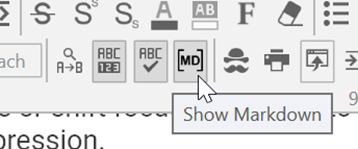
Figure 189. The Show Markdown Button
Even when Markdown is hidden, some keyboard shortcuts will still be operational such as shortcuts for bulleted lists, ordered lists, checklists, titles, subtitles, headings and block quotes.