Content Settings
Attachments
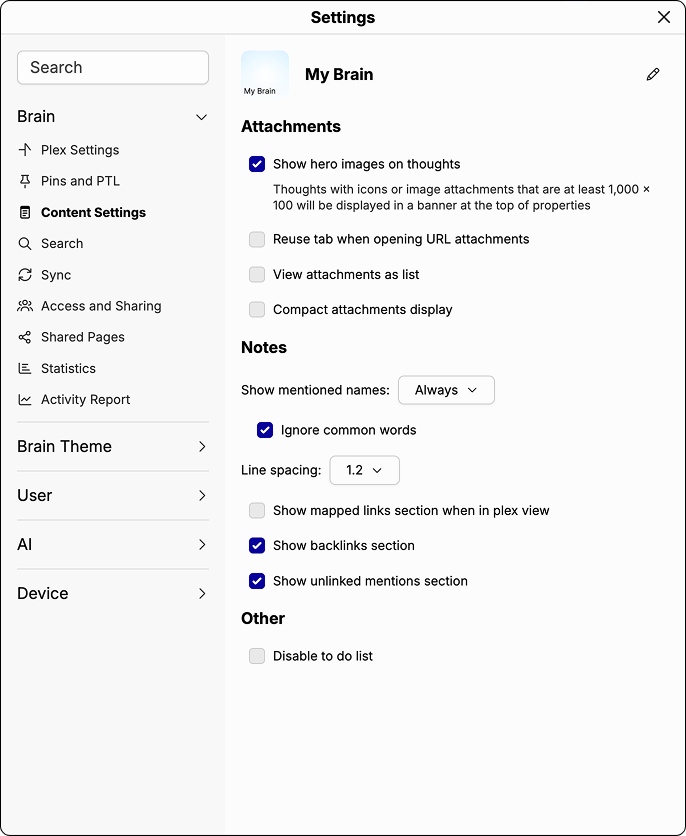
These settings customize how attachments are handled and displayed in the content area. Click through the options to find what works best for your workflow.
Notes
These settings control how unlinked mentions are detected and displayed. An unlinked mention is when a word or phrase used in your notes matches an existing thought name elsewhere in your Brain, allowing you to link them together.
- Control when mentions are shown using the Show mentioned names dropdown.
- Enable Ignore common words to prevent everyday words from being flagged as mentions.
- Adjust Line spacing to control the spacing between lines in your notes.
- Toggle the visibility of the backlinks, mapped links, and unlinked mentions sections at the bottom of your notes.
Other
- Disable to-do list: turns off the To Do List feature for this Brain.
Content Settings