Presentation Mode
Presentation Mode makes your brain full-screen, hiding the title bar, menu bar, toolbar and Brain tabs. On both Windows and macOS the taskbar and dock are also hidden. Presentation mode is an excellent viewing option when using your brain for effective and focused discussions.
- Enter Presentation Mode by selecting it from the View menu
- Keyboard shortcuts can be used for functionality that is hidden from the current view, such as switching amongst open Brain tabs without exiting Presentation Mode
- Just start typing to search and the controls appear and disappear as needed
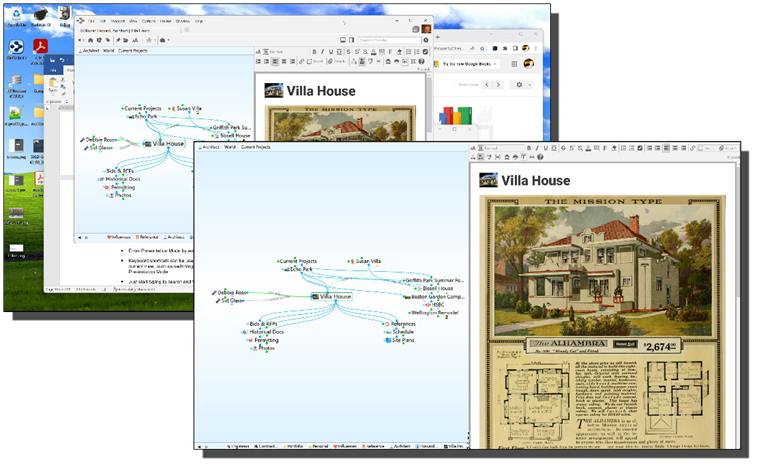
Figure 184. Before and after switching to Presentation Mode