Pins
Pins are shortcuts to thoughts to which you want quick access. They appear at the top of the plex, just below TheBrain toolbar. No matter where you are in your brain, the pins remain visible.
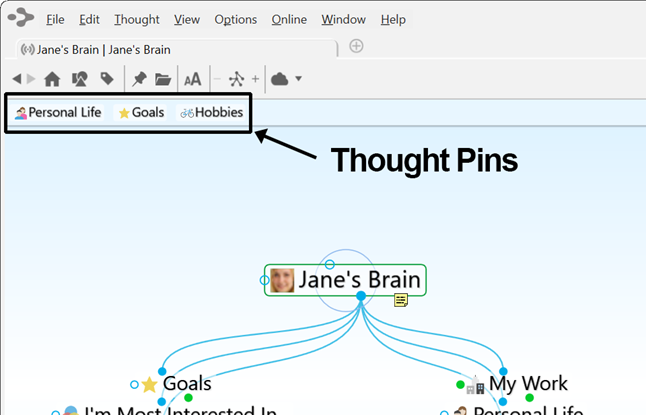
Figure 27. Pins
To create a pin:
- Use the Toggle Pin button in the main toolbar to create a pin for the Active Thought or right-click the thought for which you want to create a pin, then click Create Pin on the context menu
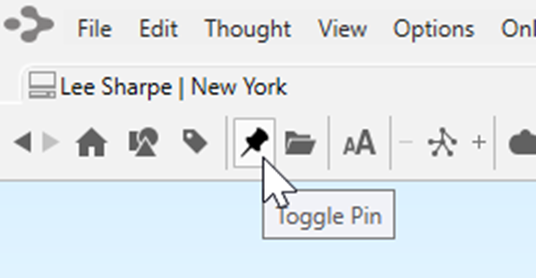
Figure 28. Toggle Pin Button
To remove a pin:
- Use the Toggle Pin button in the main toolbar to remove the pin for the Active Thought or right-click the pin or on a thought that has a pin, then click Remove Pin on the context menu
 Removing a pin does not remove or delete the associated thought; it deletes only the reference to it at the top of the plex.
To use a pin to link thoughts:
- Drag from one of the thought gates to the pin, or
- Move your mouse pointer over a pinned thought and gates will appear; drag from one of these gates to the thought you want to link