Selecting Multiple Thoughts
You can select multiple thoughts in three ways:
- Hold down the
Ctrlkey (Cmdon macOS) as youclickeach thought you want to select, or
- Hold down the
Ctrlkey (Cmdon macOS) as youdragto form a box around the thoughts, or
- Hold down the
Ctrlkey (Cmdon macOS) as youclick a gateto select all the thoughts connected to that gate
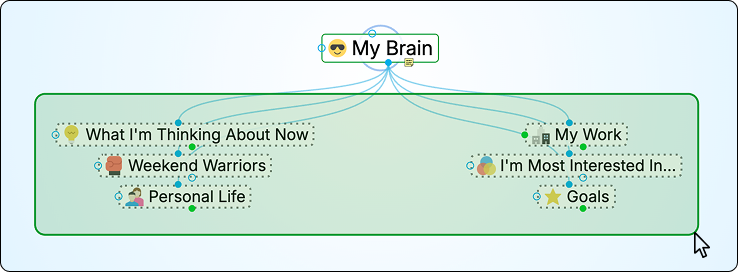
Selecting Multiple Thoughts by Ctrl-Dragging (Cmd-dragging on macOS)
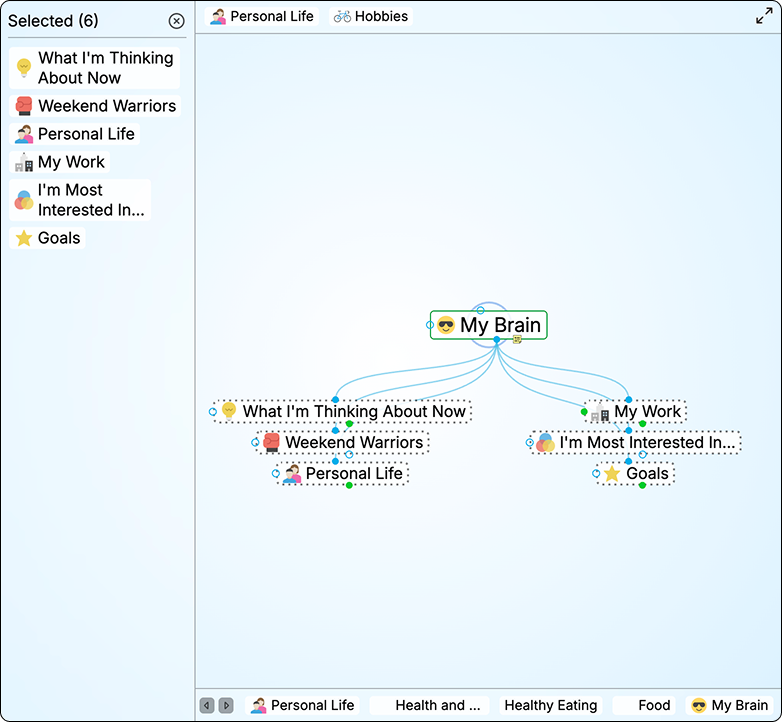
Selection Panel and Selected Thoughts
Selected thoughts are also highlighted in the Plex so you can see exactly what's included in your selection.
To perform actions on selected thoughts:
Selected thoughts are added to the Selection panel, which appears on the left side of the Plex. From there, you can apply actions to all selected thoughts at once. Right-click in an empty area of the Selection panel and select the action of your choice from the context menu.
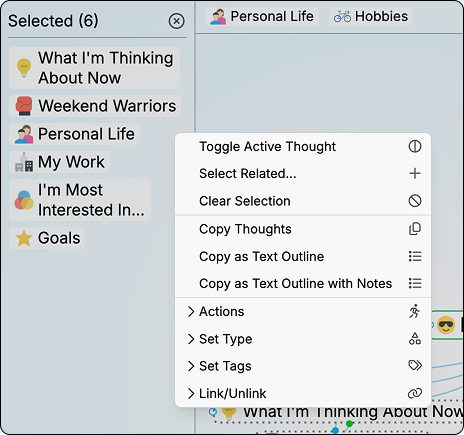
Selection Panel Context Menu
To deselect individual thoughts:
- Hold down the
Ctrlkey (Cmdon macOS) as you click a thought (either in the plex or in the Selection panel) to deselect just that thought.
To close the Selection panel and deselect all thoughts:
ClicktheClose button (X)in the top-right corner of the Selection panel. After the panel is closed, the thoughts will no longer be selected in the plex.
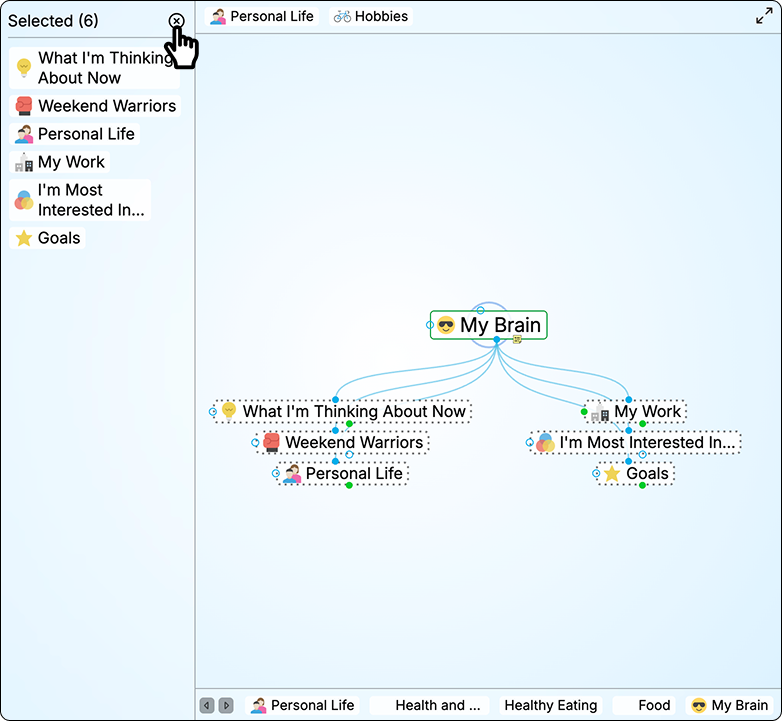
Closing the Selection Panel