Email Verification
Overview
TheBrain verifies your email address to confirm it's really yours and to be able to reach you about your account. After you sign up, you verify by following a link sent to your inbox; you can also change your email address later and verify the new one.
Verifying Your Email
After creating an account, TheBrain emails a verification link from no-reply@thebrain.com. Open the message and follow the link to complete verification. If you don't see it, check your spam folder, and if your spam filter is aggressive, add that address to your contacts.
Until you verify, what happens depends on where you log in:
- On the web — You are signed in, but in place of your brains list you see an Account Verification Pending notice. It has a Resend Verification Email button in case the message didn't arrive. After an email has been sent (right after you sign up on the web, or after you use the button), the notice instead says where the email went, with a set a new email address link in case the address is wrong and the
support@thebrain.comaddress for help. - In the desktop and mobile apps — Login is refused with the message Account not activated. Look in your email for the activation link. The login screen in these apps has no option to resend the email.
Signing up in the desktop or mobile app shows an Account created message that asks you to follow the link in your email, then returns you to the login screen. Signing up on the web signs you straight in to the Account Verification Pending notice.
If the Desktop or Mobile App Says "Account not activated"
- Find the verification email from
no-reply@thebrain.com(check your spam folder) and open the link in it. - Go back to the app and log in again.
If the email never arrived, log in to TheBrain's web app (app.thebrain.com) in a browser with the same username and password. The Account Verification Pending notice there has the Resend Verification Email button. After you have followed the link in the new email, log in to the desktop or mobile app.
Changing Your Email Address
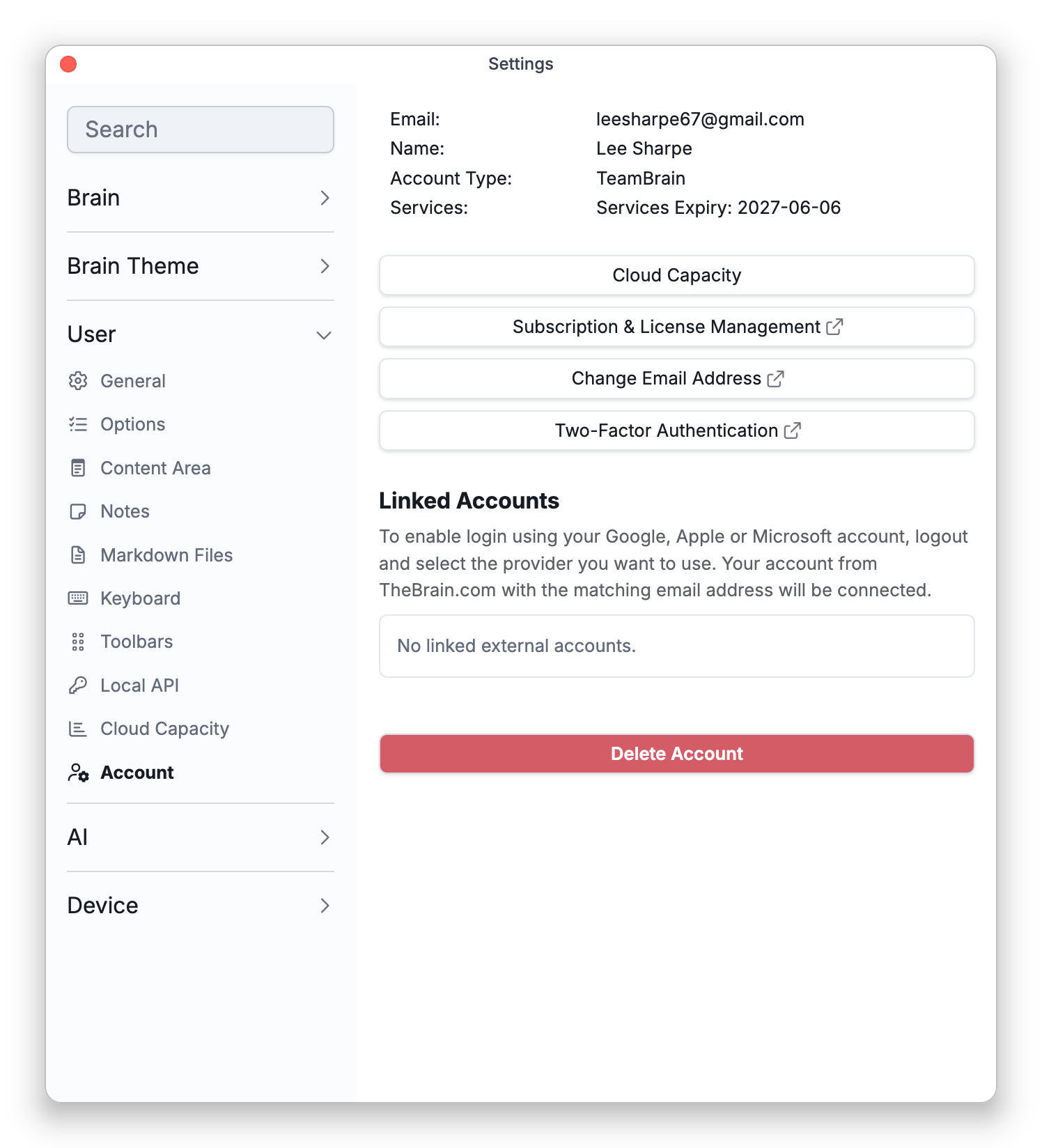
To use a different address, open Settings > User > Account and choose Change Email Address. Enter the new address; TheBrain sends a verification email to it with instructions to complete the change. On the desktop and mobile apps, Change Email Address opens the process in your browser (a small external-link icon marks it); on the web it opens in a dialog.
- A verification link works only once. If you open it a second time you see This link is invalid or may have expired. If the first time showed Email Address Verification Successful, your address is verified and you can simply log in.
- An account created by signing in with Google, Apple, or Microsoft is verified from the start, so it needs no verification email (see Signing In). Accounts on an organization's own TheBrain server are verified automatically as well.