Viewing Multi-Column Notes
By default, your notes will display as a single page. Long notes will utilize a scroll bar to navigate in a linear direction. This is called the Simple View. If desired, multi-column notes can be displayed. In Preferences, under the Notes Editor tab, the Layout setting can be toggled between Simple and Multi-column.
デフォルト(初期設定)では、ノートはシングルページとして表示されます。長いノートの場合は、スクロールバーを使用して上下に移動します。これは「シンプル表示(Simple View)」と呼ばれます。必要に応じて、マルチカラム(多段組)でノートを表示することも可能です。[環境設定(Preferences)] の [ノートエディタ(Notes Editor)] タブにある [レイアウト(Layout)] 設定で、「シンプル(Simple)」と「マルチカラム(Multi-column)」を切り替えることができます。

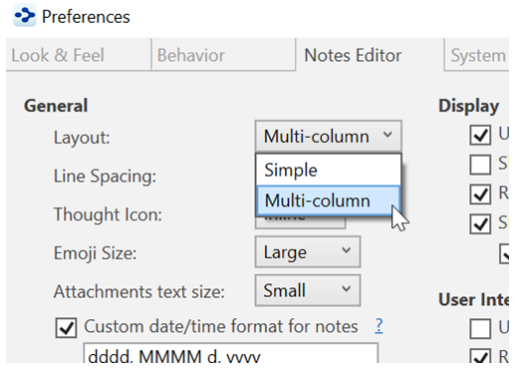
Figure 196. Switching to Multi-Column Layout
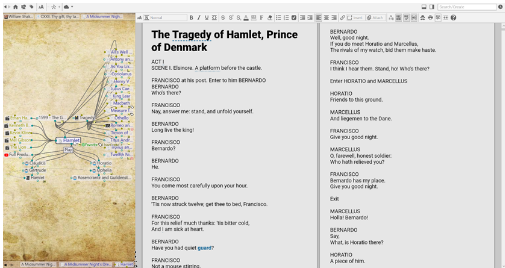
Figure 197. A Multi-Column Note
 If you are still seeing just a single column in Multi-column Layout, try giving the content area more screen real estate. Use the smart splitter to make the plex smaller. Multi-column notes are best suited for high resolution monitors.
マルチカラム・レイアウトにもかかわらず、1列しか表示されない場合は、コンテンツ領域の表示を広げてみてください。それにはスマートスプリッターを使ってプレックス表示を小さくします。マルチカラムノートは、高解像度モニターでの使用に適しています。