Collapsing headings #95669
https://thebrain.zendesk.com/agent/tickets/95669
Hello Charles,
Thank you for writing in.
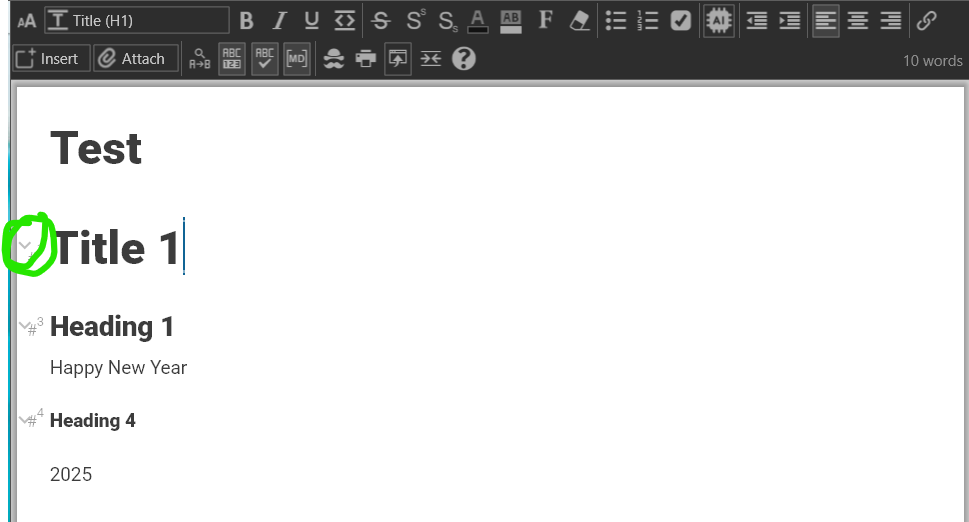
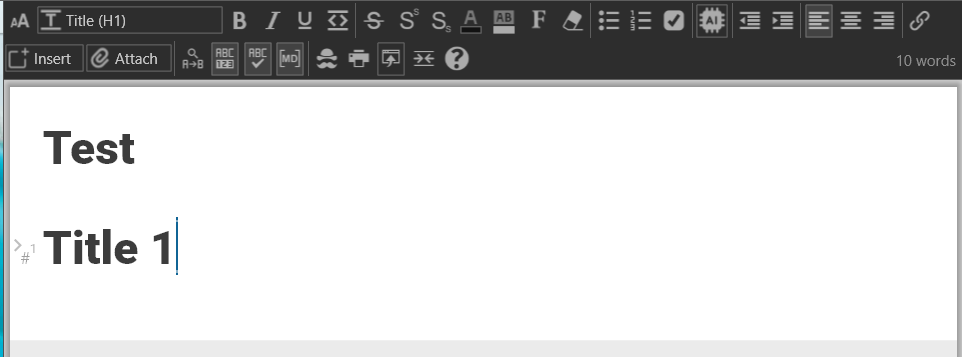
If you create headings (H1 to H6) in the Notes editor, you can hover to the left side of the heading to reveal an option to collapse or expand its content. This can be especially useful for organizing and managing long notes efficiently.
Refer to this screenshot:
Headings follow a hierarchical structure:
- H1: Top-level heading (main title)
- H2 to H6: Subheadings that descend in importance and indentation.
For example:
- H1
- H2
- H3
- H2
This hierarchy helps visually organize your notes and enables collapsibility to work seamlessly. Let me know if you have any further questions or need additional clarification!
Best regards and wishing you a happy new year,
John