Mike Giordano – Hide Timeline and To Do Panels v14 desktop #99678
https://thebrain.zendesk.com/agent/tickets/99678
Hello Mike,
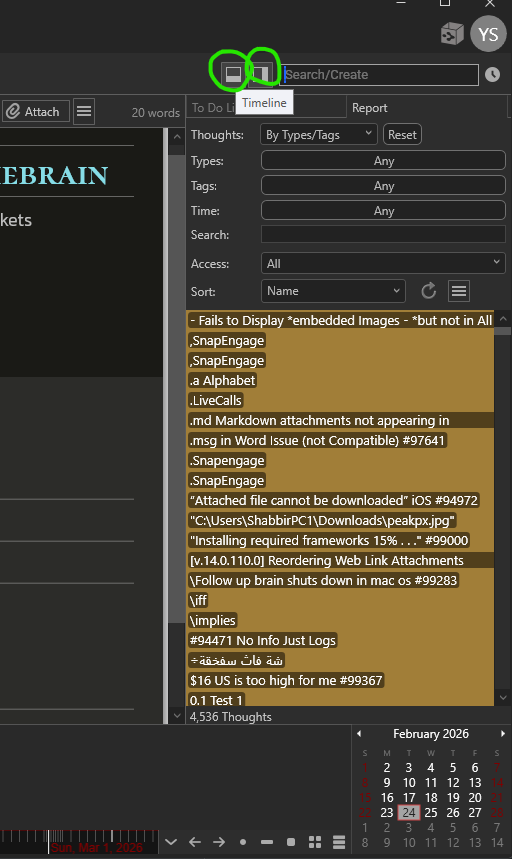
Based on your description, you can hide both panels from the top right corner of the screen.
Look near the search bar. You will see two icons:
• The Timeline button, this controls the panel at the bottom.
• The Reports button, this controls the To Do list panel on the right.
Click the Timeline button to collapse the bottom timeline.
Click the Reports button to collapse the To Do list.
If you do not see those icons or the layout looks different, please send a screenshot and your brain application version (like v14.0.... can be found in help > about brain) so I can confirm which version you are using.
Best regards,
John