BrainBox Chrome Capture Not Adding URL #100964
https://thebrain.zendesk.com/agent/tickets/100964
Hello Seth,
Thank you again for the screenshots. We found what is likely causing this.
In the BrainBox capture window, the boxes for Title and URL appear to be unchecked. For a web page/URL capture, those are the available fields to send. If both are unchecked, there is no content selected to send to BrainBox, so the item does not get added.
Please try this:
- Open the page you want to send to BrainBox.
- Click the BrainBox/extension icon.
- In the capture window, make sure Title and URL are both checked.
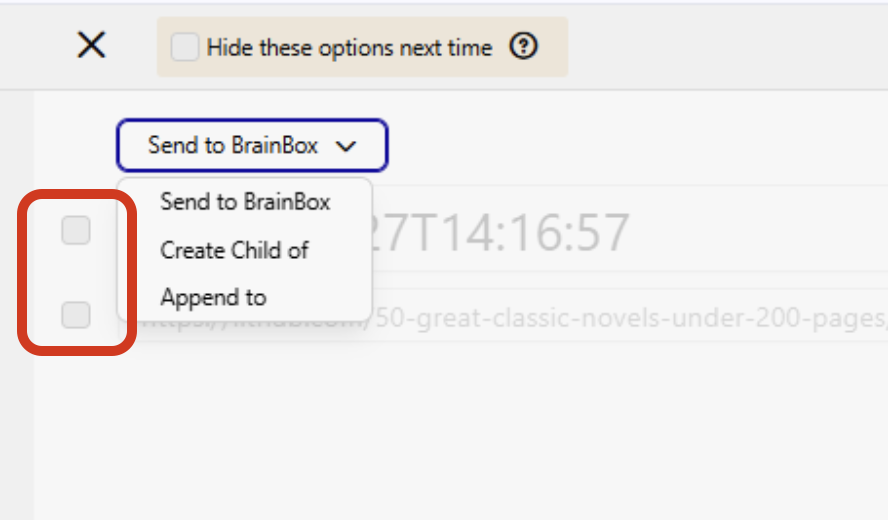
- Choose Send to BrainBox.
- Click Add.
After that, the item should appear in BrainBox. It should show in the web BrainBox right away, though it may take a couple of minutes to appear in the desktop app’s BrainBox view.
Best regards,
John