How to sort by time? #97705
https://thebrain.zendesk.com/agent/tickets/97705
Hello,
Thanks for reaching out.
You can view thoughts that were added or modified in the last month using the Reports feature:
- Go to Reports from the top menu.
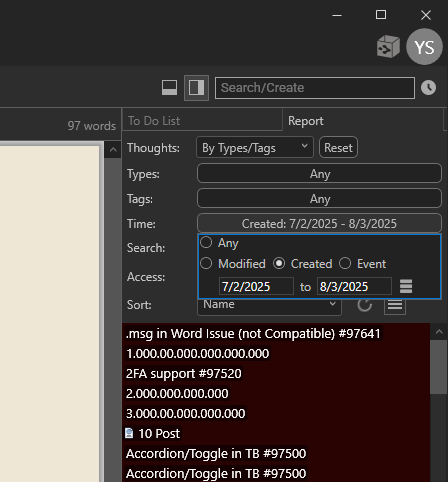
- In the Reports panel, use the Filter by Time option to set the date range (for example, the last 30 days).
- The list will then show all thoughts that were created or updated within that time frame, and you can click any item in the list to jump straight to it.
Best regards,
John