Shared brain PDF Files #94493
https://thebrain.zendesk.com/agent/tickets/94493
Hello David! Good to hear from you.
Thank you for reaching out! Below are the solutions to address your concerns:
- No Installation Requirement:To share a Brain via a weblink without requiring recipients to install TheBrain software, follow these steps:
- Open TheBrain desktop app.
- Click on "Online" > "Brain Access and Sharing."
- Check the box for "Allow Public Access."
- Copy the generated weblink URL.
- Sync your Brain so the server recognizes the Brain as publicly accessible.
- Share the URL with your recipients. They’ll be able to access it directly through their browser without needing to install any software.
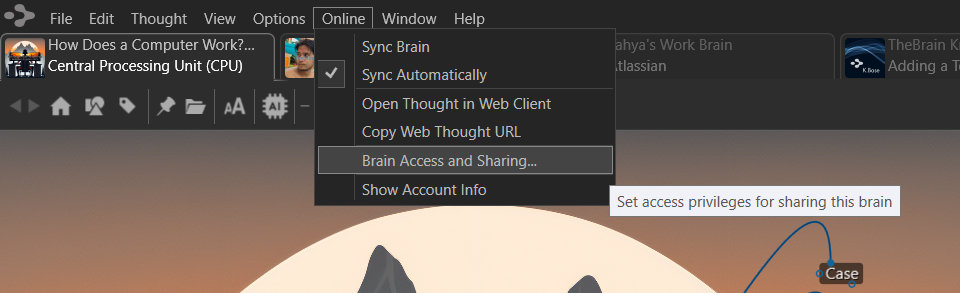
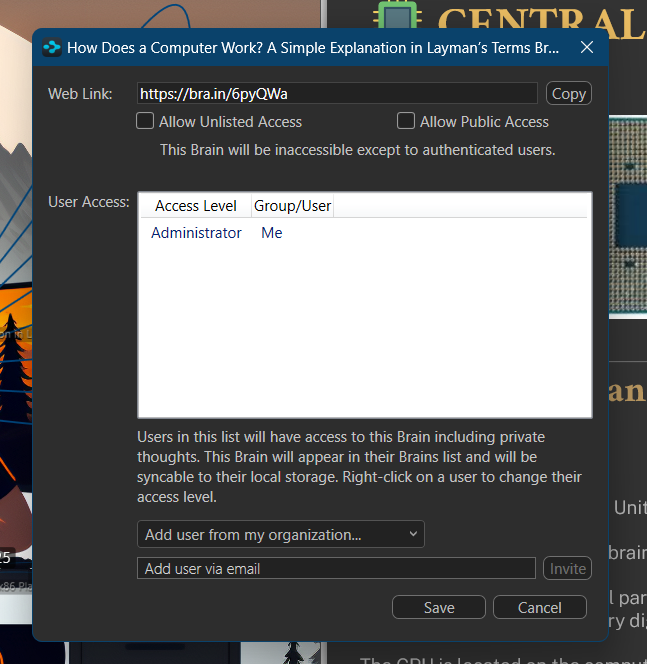
-
- PDF File Uploads:Since you want to control access to the 40+ PDF files while using a shared Brain, I suggest linking these files from a cloud service like Dropbox or Google Drive with the appropriate permissions set (e.g., view-only). Here's how:
- Grant yourself editor access and set recipients as viewers within TheBrain sharing settings. (can be found at "Online" > "Brain Access and Sharing")
- Upload the PDFs to Dropbox or Google Drive and set the desired permissions (e.g., view-only, no download).
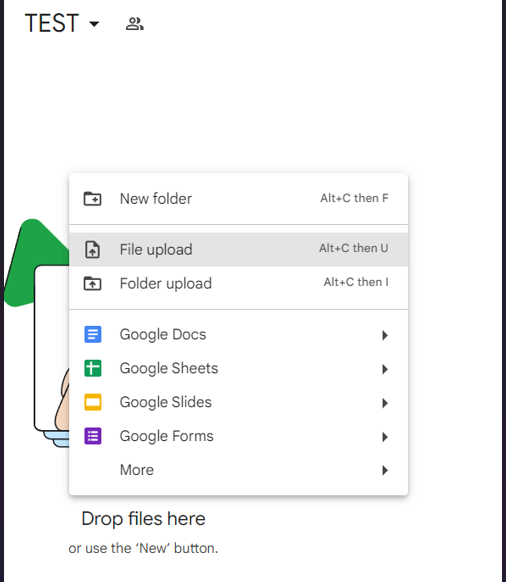
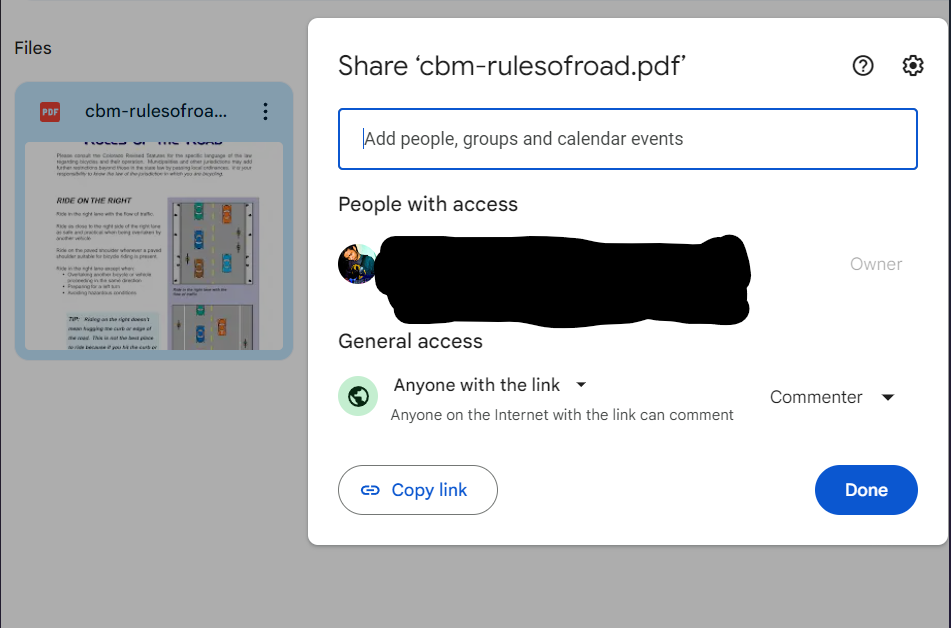
- In TheBrain, copy-paste (don't insert as attachment) the PDFs links to the shared Brain (either thought or in the notes) using their respective cloud links. This will prevent viewers from previewing, downloading or printing the files while maintaining access to only those you intended for to see. Should look like this:
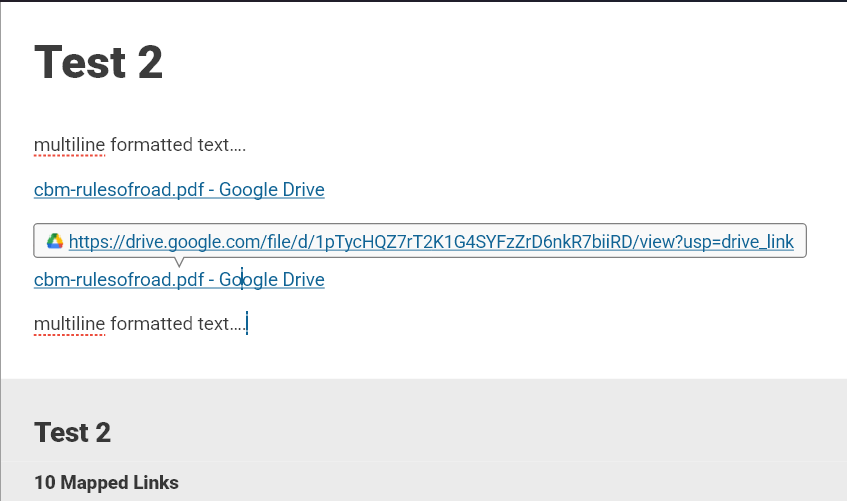
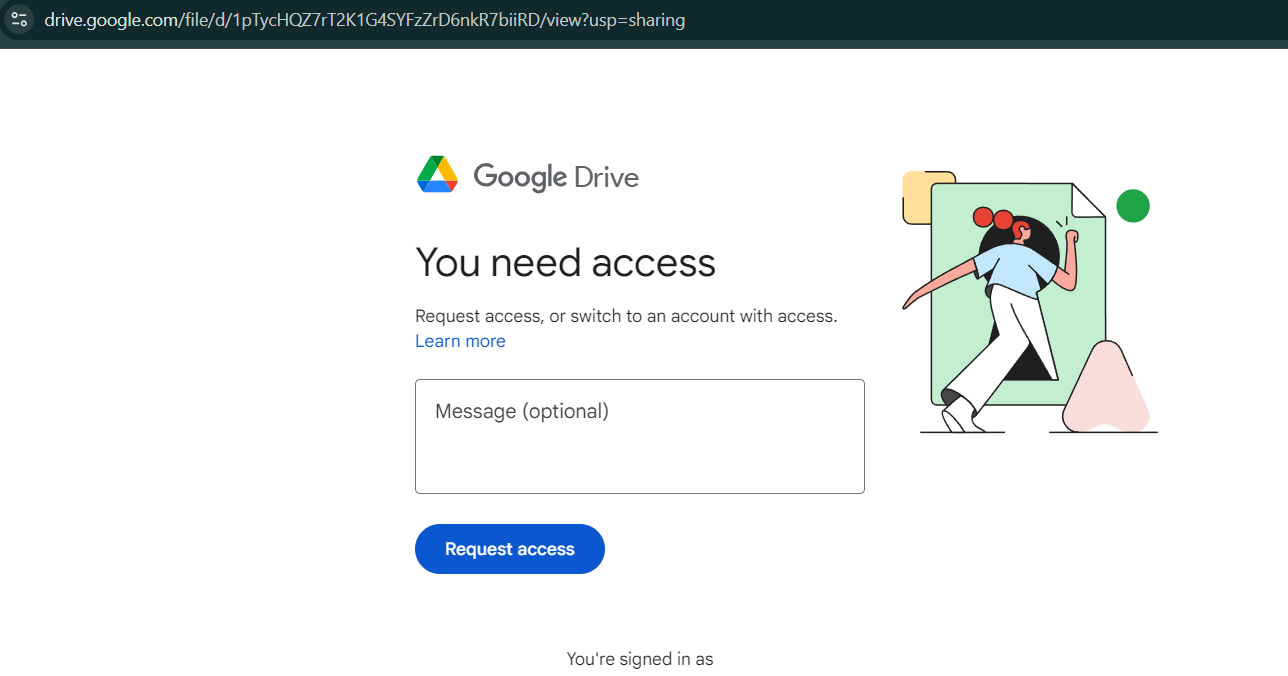
-
- Browser Access Issues (Preventing Print/Download Functionality): Unfortunately, TheBrain does not have a built-in feature to prevent viewing, downloads or printing of them if attached as an attachment, unless you have digital copyrights DRM software for said PDFs in place. However, as mentioned earlier, linking PDFs from Dropbox or Google Drive with restricted permissions can address this. By managing the permissions on the cloud storage side, you can control whether users can download or print PDF files.
I hope these solutions are helpful! Should you have any further questions or need additional assistance, please don't hesitate to reach out.
Thank you for your continued loyalty to TheBrain over the past 7 years—we truly appreciate your patronage!
Best regards,
John