Scrambled text #95029
https://thebrain.zendesk.com/agent/tickets/95029
Hello Fred,
Thank you for reaching out and bringing this font issue to our attention. We’re here to help, and we’d like to confirm a few things to better understand what may be causing this behavior. Could you please try the following steps and let us know the results?
- Adjust Theme Font:
- Go into your Brain’s theme settings (Right-click at the plex or visual mind-map and select Brain Theme).
- Try changing the font style to different options to see if any of them display normally without issues.
- Modify Note Font:
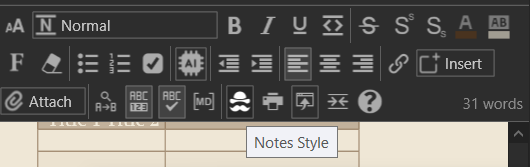
- Open any of your notes and click on the “More Options” menu (the icon that looks like a stack or “burger”).
- From there, adjust the font settings for the note to see if this resolves the display issue.
If the fonts display correctly with any of these adjustments, please let us know. This will help us pinpoint the issue.
Thank you for your cooperation, and we look forward to helping you resolve this!
Best regards,
John