PDF Issue
https://thebrain.zendesk.com/agent/tickets/94413
Hello once again Steve!
Thank you for reaching out. Here's a step-by-step guide on how to insert PDFs as a link anywhere in the content area that would open in preview either via the browser or any other apps intended for it. This can be used as an alternative in the meantime.
- Upload your internal PDF files on an online storage service like the dropbox or google drive.
- Make sure that the link-sharing option is turned on (If on Drive, click share and change access to Anyone with the link -> Vieweror other levels of access.
- Once that is done, copy-paste the link wherever you want in the notes section.
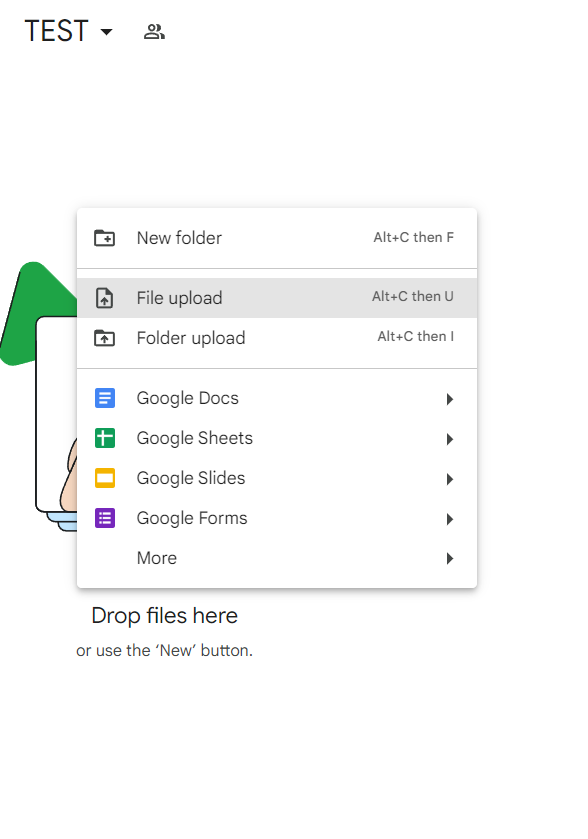
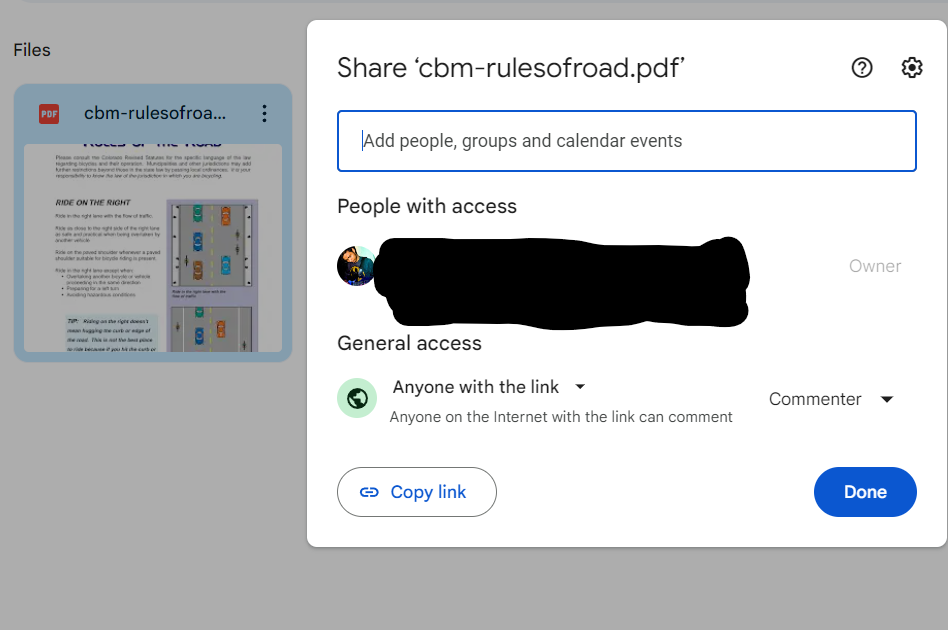
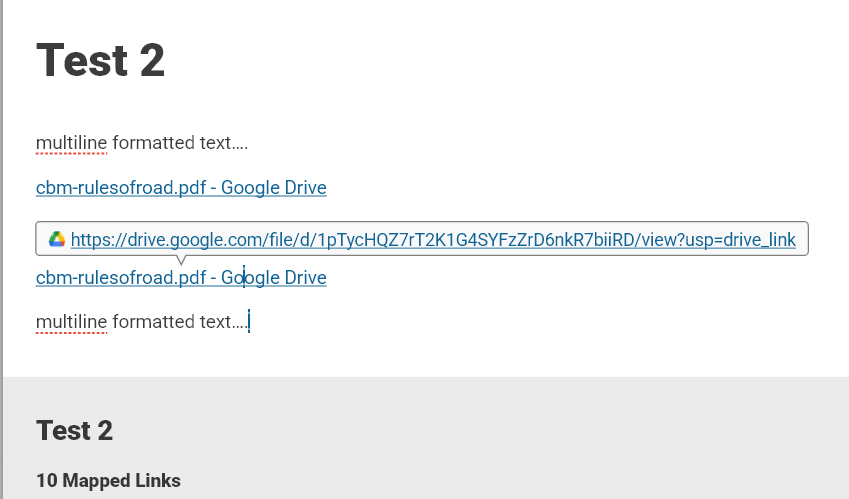
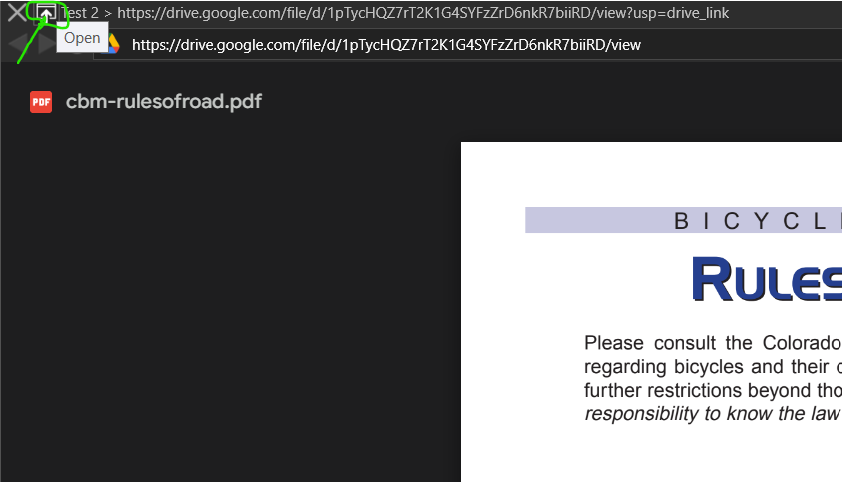
Please note that clicking the links will first open in TheBrain note. However, if you want the preview, you can simply click this little icon to open in the browser or Adobe Acrobat.
Regards,
John
TheBrain Technologies
p. 310-751-5000
f. 310-751-5007
support@thebrain.com
No Limits Knowledgebase Software
Visit http://www.thebrain.com
Check out our blog at https://www.thebrain.com/blog