Question about creating thought mindmap from notes using AI #94723
https://thebrain.zendesk.com/agent/tickets/94723
Hello / السلام عليكم Asif,
Our AI integration doesn't automatically create thoughts from the content of your notes. Instead, it helps you build a thought structure based on an existing thought title using TheBrain AI.
That said, you do have the option to import a properly formatted text outline (TXT file). Just ensure that the radio button for "Add to Existing" is selected. (Go to File > Import)
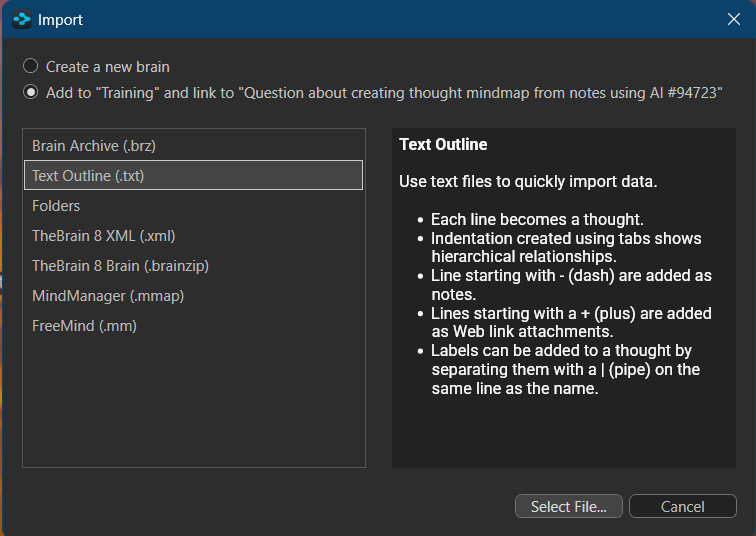
Here are the steps for formatting your outline:
- Each line in the text file becomes a separate thought.
- Indentation created using tabs indicates hierarchical relationships between thoughts.
- Lines that start with a dash (-) are added as notes.
- Lines that begin with a plus sign (+) are included as web link attachments.
- You can add labels to a thought by separating them with a pipe (|) on the same line as the thought name.
You can also write this in as a feature request. Please visit our feature request portal at https://thebrain.uservoice.com to formally submit your request for further consideration. I would recommend that you search the existing UserVoice inventory first to see if the request has already been made, and add your tally to the existing request. Requests with higher numbers hold more value.
Our team reviews the UserVoice site regularly to review the most popular requests.
Feel free to reach out if you have any questions!
Best regards,
John/Yahya