How to transfer the brain folder #97320
https://thebrain.zendesk.com/agent/tickets/97320
Hello Clyde,
Thank you for reaching out.
To change the storage location for your Brain files, please follow these steps:
- Click on the three-bar menu in the top-left corner of the app.
- Go to Options > Preferences > System > Storage.
- Under Storage Location, select the new destination folder (SELECT FOLDER) where you’d like your Brain files to be stored.
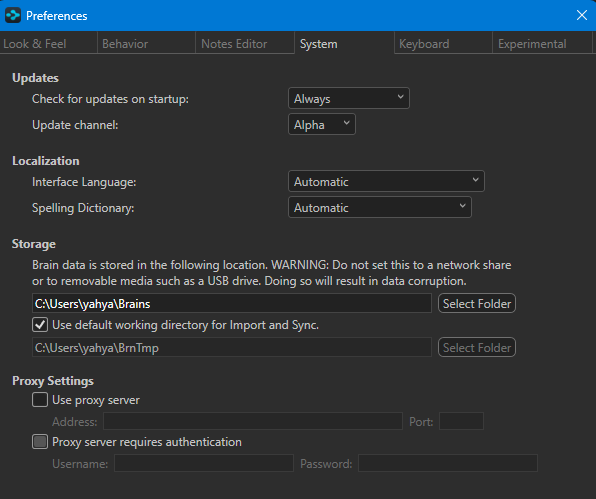
Once selected, TheBrain will automatically begin transferring all relevant files to the new location. This process may take a few minutes depending on the size of your data.
Let me know if you have any questions or need help during the transfer!
Best regards,
John