Data integrity scan Walter #97787
https://thebrain.zendesk.com/agent/tickets/97787
Hello Walter,
Thank you for reaching out and for the detailed description, that helps a lot.
From what you’ve described (and based on what we see in the log), this should be resolved by running a Data Integrity Scan. Here’s how:
- In TheBrain, go to File > Utilities > Perform Data Integrity Scan
- Let the scan run to completion, it will check for and repair any internal issues with the Brain’s data
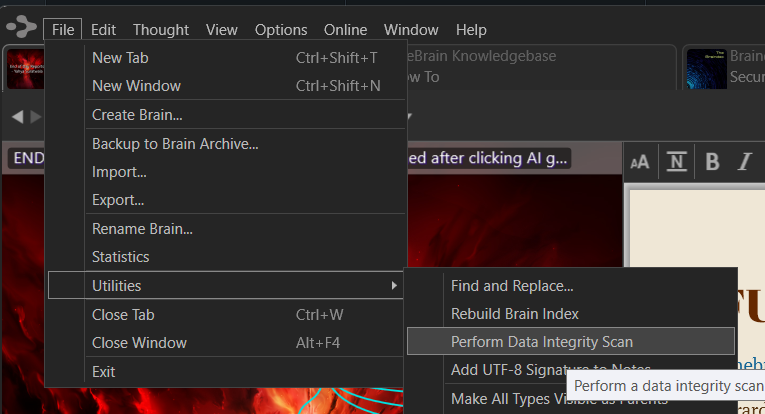
Once that’s done, try opening the Thought again to see if the error still occurs. If you run into the same error afterwards, please let me know right away so we can dig deeper.
If you have any other questions, feel free to reach out, I’m here to help.
Best regards,
John