Syncing problems possibly due to large brain #95555
https://thebrain.zendesk.com/agent/tickets/95555
Hello Gary,
Thank you for sharing the log file. Upon reviewing it, we noticed that the brains are still in progress while downloading and are nearly complete. We didn’t observe any errors in the log that would indicate a problem.
Could you let us know if you’re encountering any specific error messages on your end that suggest an issue? If not, it’s likely just taking some time to download due to the large size of your brain file, which exceeds the 30GB limit.
If your Brain database is too large, syncing issues can sometimes occur. To resolve this, we recommend reviewing the attachments within your Brain and relocating larger files to cloud-based services like Google Drive or OneDrive. Once stored online, you can link to these files by adding their URLs in TheBrain. This way, you’ll maintain easy access while keeping your database size manageable.
To identify oversized attachments, you can run a report in the desktop application:
- Navigate to the Reports section (top right corner).
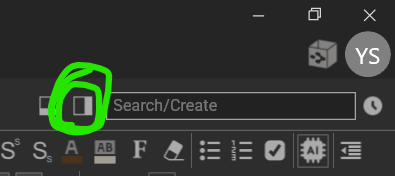
- Filter by internal file attachments, starting with sizes over 1,000 KB (1 MB) and progressing to 10,000 KB (10 MB) and higher.
- Locate and review the largest files for potential relocation.
If you’d like assistance with this process or have additional questions, we’d be happy to help.
We look forward to your response.
Best regards,
John