Notes area is grey #95200
https://thebrain.zendesk.com/agent/tickets/95200
Hello,
Thank you for reaching out! Let’s try a few steps to get this sorted out:
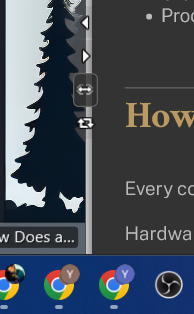
First, try adjusting the Smart Splitter—those small navigation arrows. Jiggle and re-adjust it, then refresh the app to see if that helps.
It looks like this:
If the issue persists, you can try disabling hardware rendering. You can do this by navigating to the top-left toolbox, then go to:
Options > Preferences > Experimental > Disable Hardware Rendering.
Lastly, if the problem continues, could you send us the output.log file? This will give us a better idea of what’s going on and help us pinpoint the issue.
I'm looking forward to hearing how it goes!
Best regards,
John