How to find light sync attachment #99172
https://thebrain.zendesk.com/agent/tickets/99172
Hello,
Thank you for reaching out.
In TheBrain 15 (German or English UI), the Light Sync attachments option is accessed from the Sync status menu.
Please do the following:
- Look at the top-right corner of the Brain window
- Click the circular arrows icon (Sync status)
- Click the small drop-down arrow next to it
- You will see Light Sync attachments listed there, along with the current sync status
- Toggle it on or off as needed
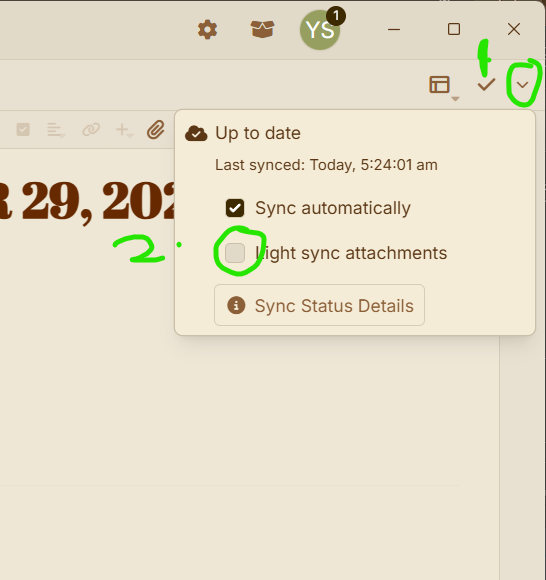
The location is the same regardless of language. Only the label text changes in German.
Best regards,
John