Creating a Discourse Category
🎨Create Categories
Visit _https://community.alignerr.com/_ > Click Categories > + New Category
- Under General, provide the relevant category name
- This should be matching to the project name. If there are multiple language categories, then they should remain in unison with just the language name changing.
- Example: MASE3H French / MASE3H Italian / MASE3H German
- Select a color for the icon. For a project with several languages, utilize the same color.
- Under Security, REMOVE everyone. If this group is not removed, the category will be visible to EVERYONE on Discourse.
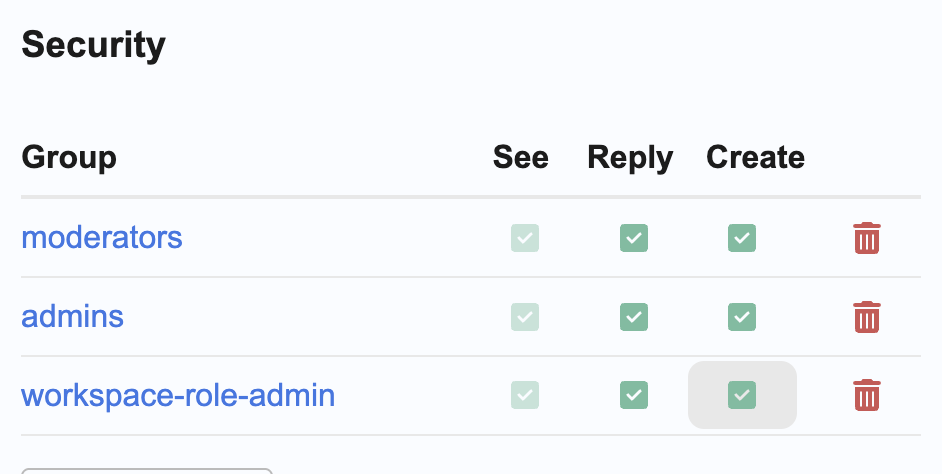
- Add moderators, admins, workspace-role-admin to the category. This gives visibility for Project Coordinators and Program Managers. Allow for all three groups to see, reply, and create. The Alignerr group will be added at a later time.
- Add moderators, admins, workspace-role-admin to the category. This gives visibility for Project Coordinators and Program Managers. Allow for all three groups to see, reply, and create. The Alignerr group will be added at a later time.
Guided Walkthrough: _How to Create Categories and Topics in Discourse_