Table Theme Editor
Selecting Table Theme Editor from the Table Controls bar will open a pop-up window that allows you to further customize the color settings of the entire table and/or the first row. New cells and content added to the existing table will then follow the same color settings. A sample table will display the colors that are being selected. The following options are customizable:
- Text
- Background
- Alternate Row Background (every other row, starting with row 1)
- Table Lines
- First Row Text, Background and Lines
- First Column Text, Background and Lines
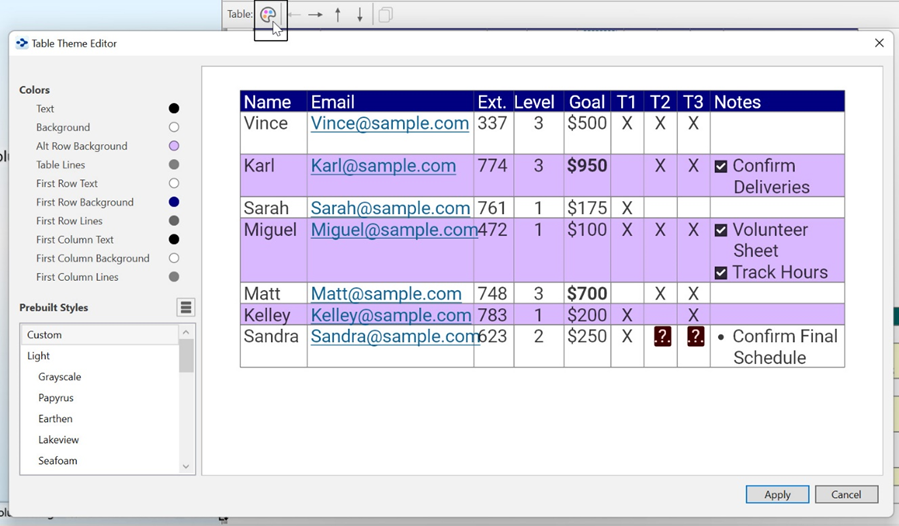
Figure208. Table Theme Window
Over 20 different Prebuilt Styles are also available from the Table Theme Editor.