Reminders
Overview
A reminder nudges you before an event so it doesn't slip by. You set how far ahead — up to 4 weeks before — and when that time arrives, TheBrain shows a reminder you can act on, snooze, or dismiss.
Setting a Reminder
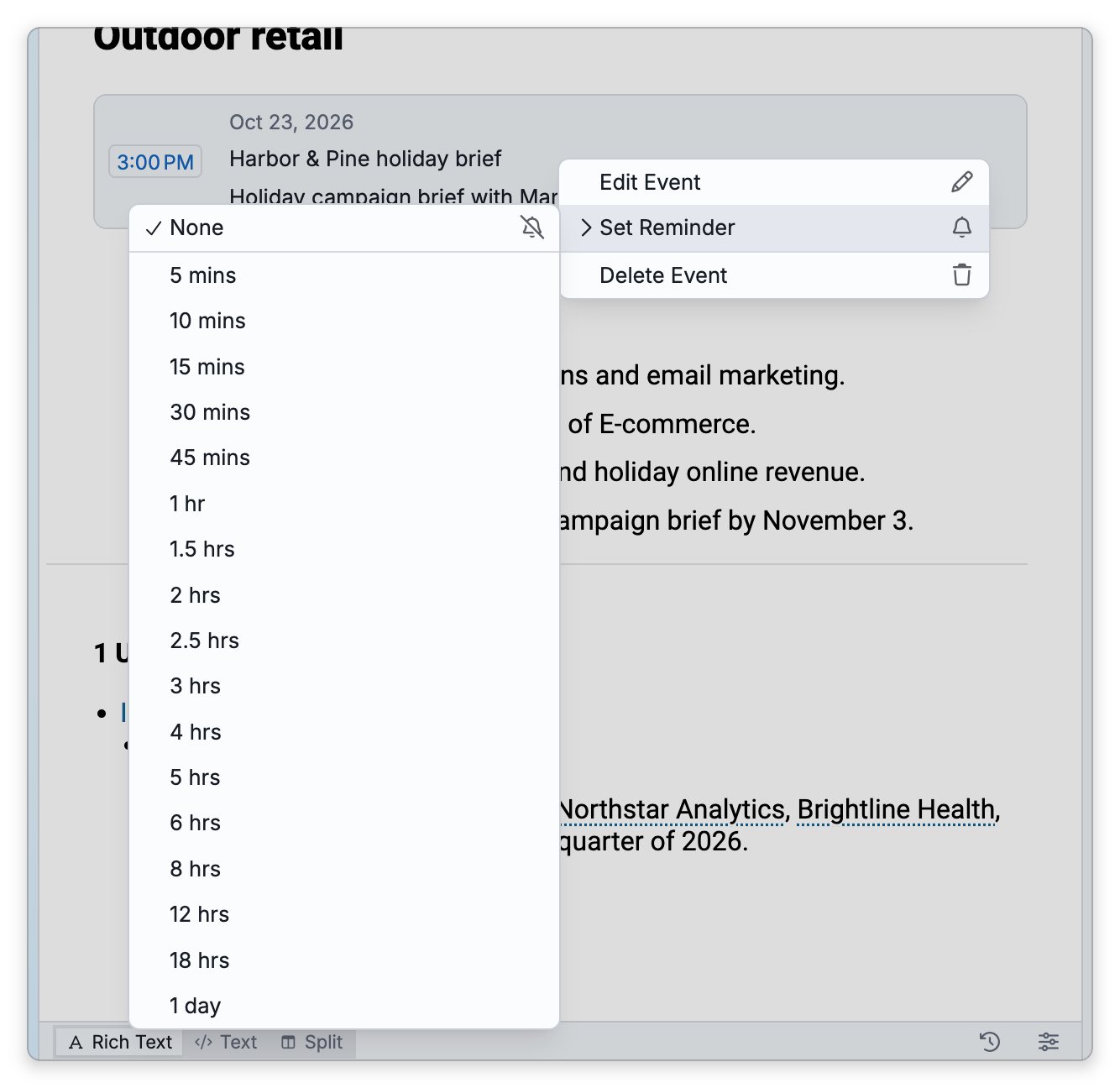
Set a reminder on an event (see Events) by right-clicking the event, for example in its thought's content area, and choosing Set Reminder, or by ticking Reminder in the event dialog. Choose how far ahead of the event to be reminded, or clear it:
- The Set Reminder menu offers 5 minutes to 18 hours, and 1 day, before the event. Choose None to clear the reminder.
- The event dialog keeps the reminder as you set it, whether there or in the Set Reminder menu. The list in the box beside Reminder goes up to 24 hours; for any other time, type a value in minutes, hours or days, such as
20min,2hor3 days. Anything over 4 weeks becomes 4 weeks. Untick Reminder to clear it.
For an occurrence of a recurring event, setting a reminder asks whether it applies to only this occurrence, all the following, or all in the series.
When a Reminder Is Due
An all-day event counts as starting at midnight at the start of its day, in your time zone, so its reminder comes due that long before midnight: a 1-hour reminder comes due at 11 PM the evening before.
When reminders come due, TheBrain shows a reminders dialog listing them. From there you can:
- Snooze a reminder (or Snooze All) for a chosen amount of time — the Snooze for picker ranges from 1 minute up to 24 hours — to be reminded again later. The picker starts at 10 minutes and then offers the length you last picked, until you restart the app (or reload the page in the web app).
- Dismiss a reminder once you've dealt with it.
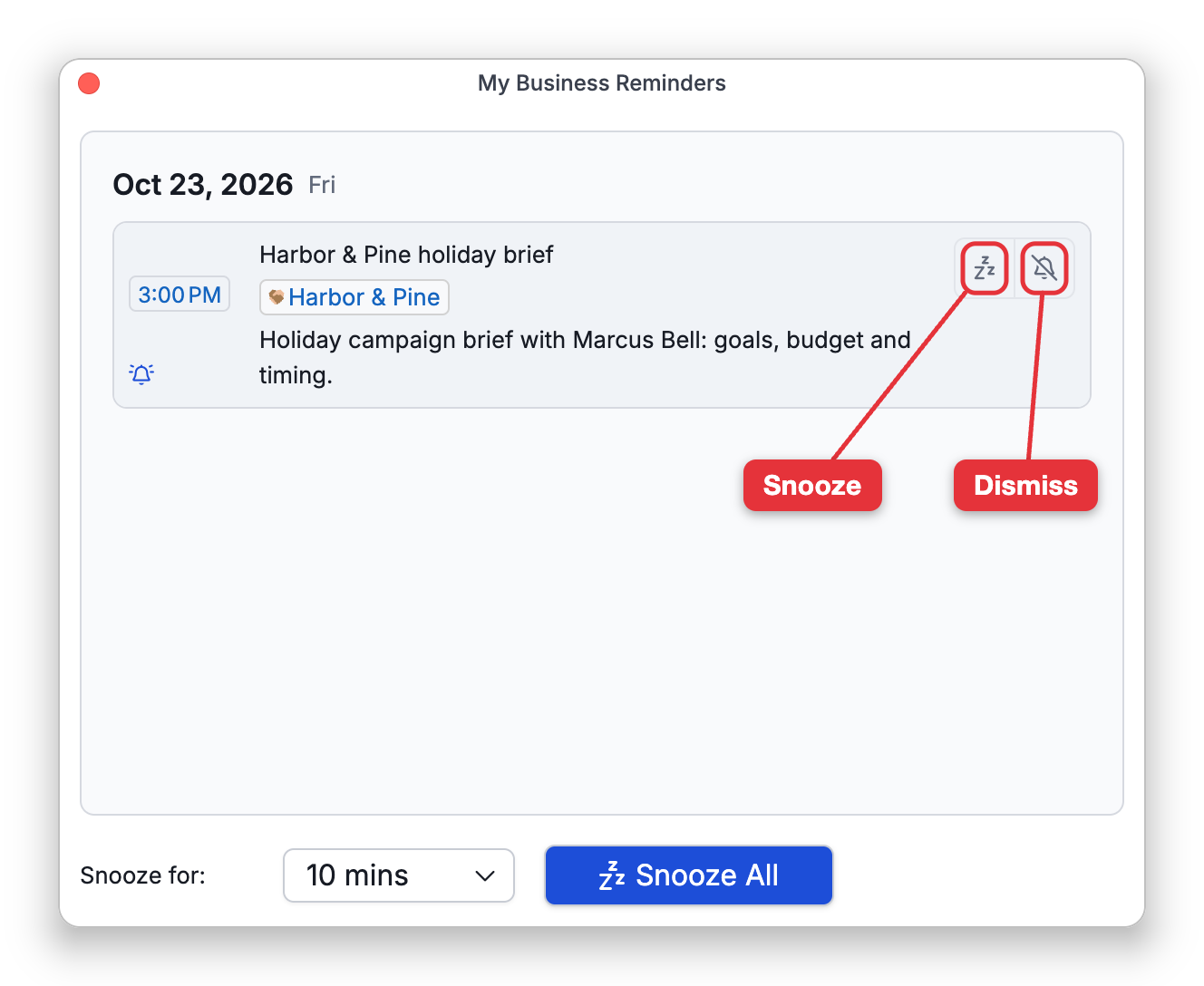
Snoozing and dismissing reach your other devices differently:
- A snooze stays on the device where you snoozed (in the web app, in that browser). It survives closing the brain and restarting the app there, but it is not synced, so your other devices still show the reminder.
- A dismissal is saved on the event itself, so it syncs with the brain: once the brain has synced, the reminder is dismissed on your other devices too.
A reminder you neither snooze nor dismiss stays due: it is listed again each time the reminders dialog comes up, until its event is more than four weeks in the past.
If you close the reminders dialog while reminders are still due, it stays closed for at least five minutes before it comes back, unless another reminder comes due in the meantime.
On the desktop app, the reminders dialog opens in a window of its own beside the brain window, one for each brain window, and you can keep working in the brain while it is open.
Reminders for a Brain That Isn't Open
Where a reminder shows up depends on which app you are using:
- Desktop app — While the desktop app is running, it checks the reminders of every brain stored on that computer, whether or not the brain is open. The brain in the tab you are looking at shows the reminders dialog. A brain that isn't open shows a system notification instead, with the event's name, the brain's name, and the event's start time (and its location, if it has one); click the notification to open that brain. A brain that is open in another tab shows its reminders dialog when you switch to that tab.
- Mobile app — While the app is running, it hands the upcoming reminders of the brains stored on the device to your phone or tablet as system notifications, so a reminder doesn't depend on that brain being open. The app asks for permission to show notifications.
- Web app — There is no system notification. A reminder appears only as the reminders dialog, in a browser tab that has that brain open, as soon as it comes due and without a reload, so keep the brain open in a tab to receive its reminders.