API Keys
Overview
If you want to reach your TheBrain data from your own tools and scripts, API keys make that possible. There are two kinds: cloud API keys for TheBrain's web API, and a local API key for accessing your local brains directly on the desktop. Both kinds are secrets, like passwords.
Cloud API Keys
In the web app, Settings > User > API Keys (also reachable from the account menu as API Keys…) lets you generate and manage cloud API keys for TheBrain's cloud API. The page requires an active Cloud Services subscription, and it links to the API itself with an Access API button. The account menu offers API Keys… only once your account's email address is verified. Cloud API keys aren't available on TeamBrain enterprise servers.
Each key is listed with its name, an obfuscated preview of its value, when it was created, when it was last used, and its usage count. You can:
- Generate Key — the full key value is shown once, with a copy button; store it somewhere safe, because you won't be able to view it again.
- Rename a key — use the pencil icon.
- Delete a key — use the X at the end of its row. TheBrain asks you to tick two boxes before it removes the key, since anything still using the key stops working.
Keep API keys secret — anyone with one of your API keys can read and modify your data. If a cloud key may have been exposed, delete it and generate a new one; for the local key, use Regenerate Key.
Local API
On the desktop app, Settings > User > Local API provides a key for reaching your local brain data from external tools and scripts on that machine. The page shows the local endpoint address — normally http://localhost:11522/api/, or another port if that one is already in use on your computer — lets you show, hide, and copy the key, includes a ready-made example request, links to the API documentation, and offers Regenerate Key (which invalidates the current key).
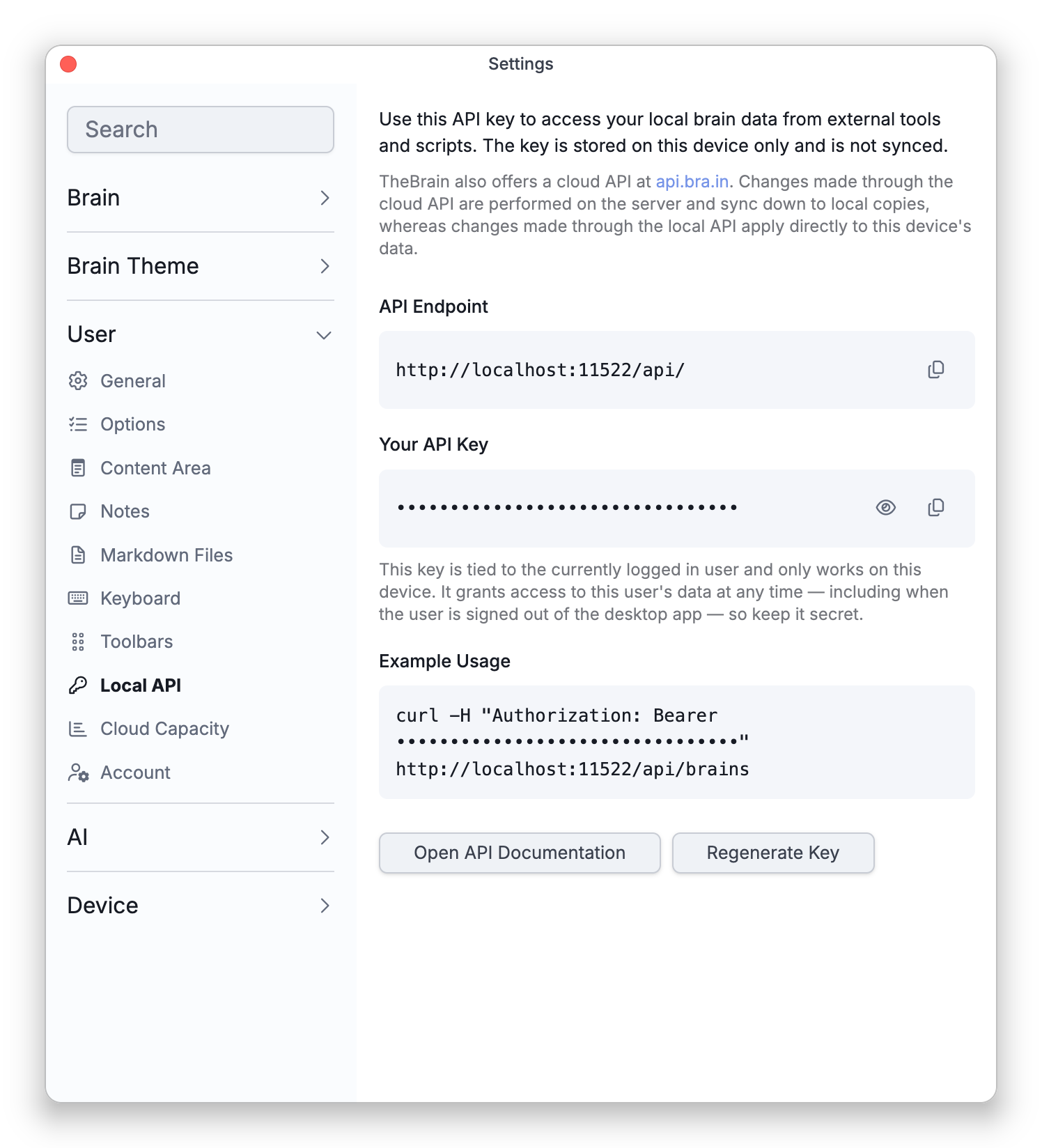
The local key is stored on the device only and isn't synced; it works only on this device — including while you're signed out of the desktop app. There is no subscription requirement for the local API.
- Changes made through the cloud API happen on the server and sync down to your devices; changes made through the local API apply directly to the data on that device.