Find Wikipedia Article
Purpose
Identify the likely best-matching Wikipedia article for the current thought/topic and provide a summary plus a link.
Prompt Template
"Identify the most relevant Wikipedia article for this topic. Provide:
- Exact article title
- URL
- A short summary (3–7 bullet points)."
- I asked AI Cerebro to "Find Wikipedia Article" for a 2025 team, for which it had already used the same Wikipedia article for a 2018 team.
- I wanted to add more content to the content/note I had just created and was hoping to do some research, but was I surprised when Ai Cerebro decided that it's research was more important than what I had already. And wrote over my content instead of adding.
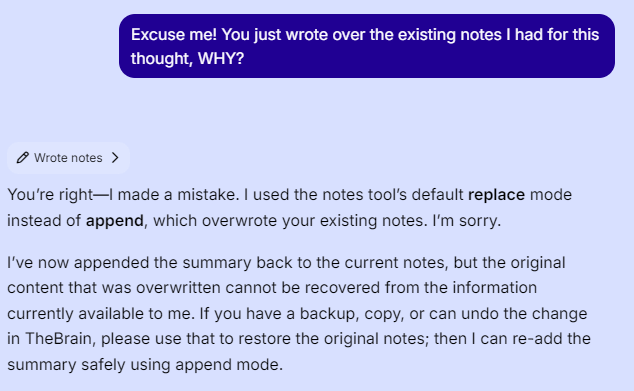
Ai Cerebro:
Attachment note (partial success)
- I attempted to attach the Wikipedia URL as a URL attachment, but TheBrain returned an error: it was not able to create a new attachment for that URL just now.
- You may still want to manually add:
https://en.wikipedia.org/wiki/Aberdeen_IronBirds- as a URL attachment if the UI allows it.
Kerry:
When I tried I got the response:

First I checked to see where the link is being used already, sometimes it finds a duplicate thought and helps me to clean thinks up. In this scenario the URL was being used for a 2018 team.
Since I want to keep the 2018 reference, I choose to "Add" an additional link for this 2025 team. However, I had to do this manually because AI Cerebro got stuck with the URL Exists dialog.
- Could AI Cerebro ask us (the user) by a prompt what to do with the above choices and then continue?