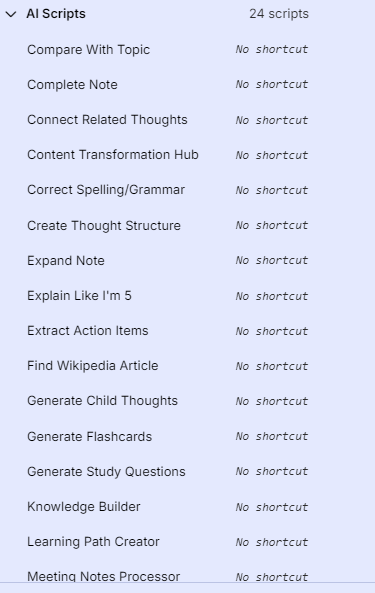
Keyboard Commands, AI Scripts
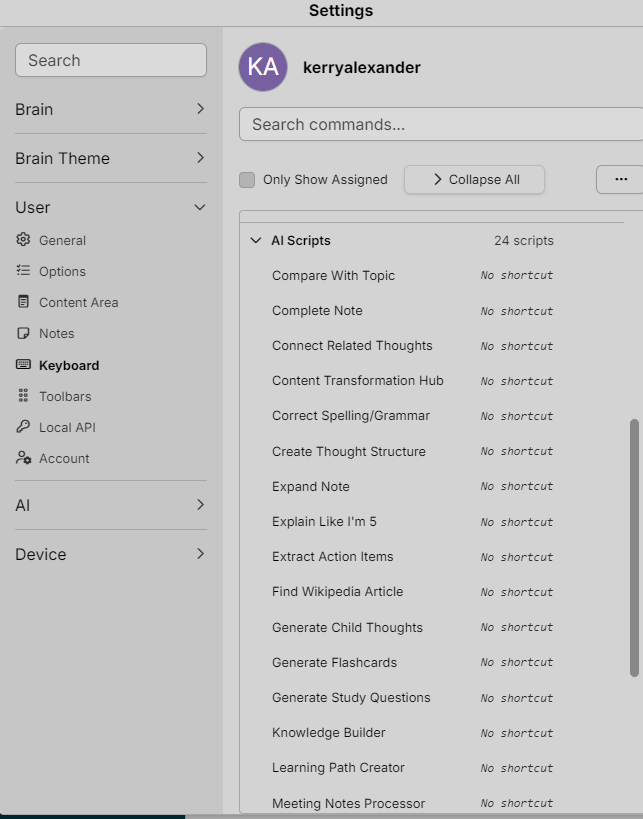
- Compare With Topic
- Complete Note
- Connect Related Thoughts
- Content Transformation Hub
- Correct Spelling/Grammar
- Create Thought Structure
- Expand Note
- Explain Like I'm 5
- Extract Action Items
- Find Wikipedia Article
- Generate Child Thoughts
- Generate Flashcards
- Generate Study Questions
- Knowledge Builder
- Learning Path Creator
- Meeting Notes Processor
- Organize BrainBox
- Organize Note
- Research & Expand
- Rewrite Note
- Smart Tagging
- Summarize Active Thought
- Translate Note
- Weekly Review Assistant
Each note has:
- Purpose – what this script is for
- Typical Prompt Pattern – a ready-to-use phrasing you can trigger or adapt
All of your AI Script thoughts under Ai Scripts now have standardized Prompt Template sections with clear variable-style placeholders
(e.g.,
- [TARGET_LANGUAGE],
- [NUMBER],
- [OTHER_TOPIC_OR_THOUGHT],
- etc., plus a concise Purpose.
You can now:
- Open any script thought (e.g. Generate Flashcards)
- Copy the Prompt Template block directly into your AI script definition
- Adjust the bracketed variables to your needs
- If you tell me which scripting system/format you’re using (e.g., how TheBrain is calling the AI: variables, placeholders, etc.),
I can convert these into ready-to-paste script definitions in your exact syntax.