Live Host Identification
Live host identification is a very simple technique. It’s like knocking on someone’s door and if the person behind the door responds to your knocking, the host is considered to be alive, if they don’t , the host is considered to be dead. Sometimes, people behind the door may try to fool you by not responding while being alive, then all you have to do is show them your police badge, then they will have no choice but to respond.

There are various methods and tools to check whether thehost (server/device/website,etc.) is alive or dead. The most simple way is to use ICMP protocol by doing a normal ping.
┌──(scott㉿notebook)-[~]└─$ ping \-h Usage ping [options] <destination>Options: <destination> dns name or ip address \-a use audible ping \-A use adaptive ping \-B sticky source address \-c <count> stop after <count> replies \-D print timestamps \-d use SO_DEBUG socket option \-f flood ping \-h print help and exit \-I <interface> either interface name or address \-i <interval> seconds between sending each packet \-L suppress loopback of multicast packets \-l <preload> send <preload> number of packages while waiting replies \-m <mark> tag the packets going out \-M <pmtud opt> define mtu discovery, can be one of <do|dont|want> \-n no dns name resolution \-O report outstanding replies \-p <pattern> contents of padding byte \-q quiet output \-Q <tclass> use quality of service <tclass> bits \-s <size> use <size> as number of data bytes to be sent \-S <size> use <size> as SO_SNDBUF socket option value \-t <ttl> define time to live \-U print user-to-user latency \-v verbose output \-V print version and exit \-w <deadline> reply wait <deadline> in seconds \-W <timeout> time to wait for responseIPv4 options: \-4 use IPv4 \-b allow pinging broadcast \-R record route \-T <timestamp> define timestamp, can be one of <tsonly|tsandaddr|tsprespec>IPv6 options: \-6 use IPv6 \-F <flowlabel> define flow label, default is random \-N <nodeinfo opt> use icmp6 node info query, try <help> as argumentFor more details see ping(8).You can ping by the following command.
ping <hostname/host_IP>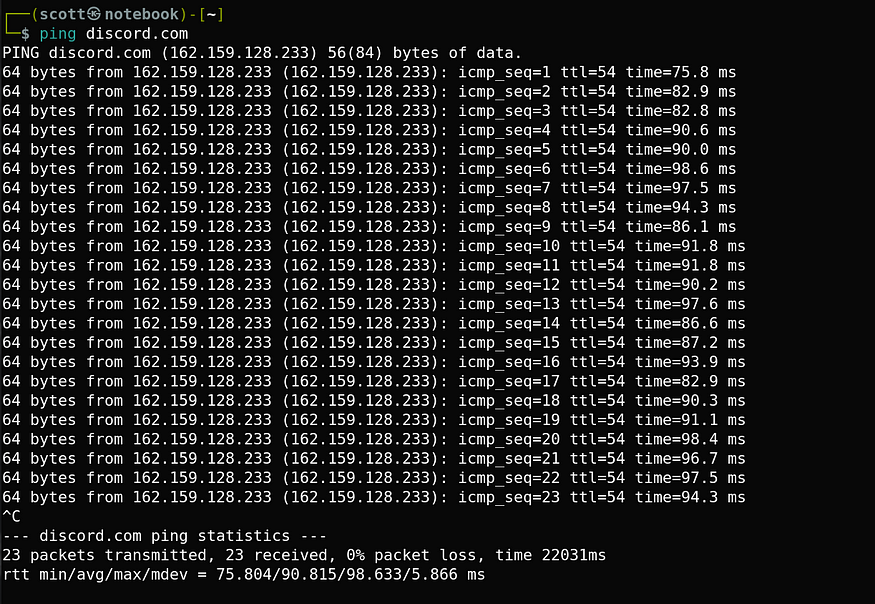
ping discord.com
You can also ping a host if you have it’s IP address. In this case you can notice that when I ping, discord.com the IP address of that web-server shows up. Now that we have it’s IP address, we can do more info gathering so that we can attack the web server (Only for example purpose 😂).
Now, that we know what Live host Identification is. It’s time to learn about the tools that comes pre-installed in Kali-Linux for Live host Identification.