Brain Statistics
Overview
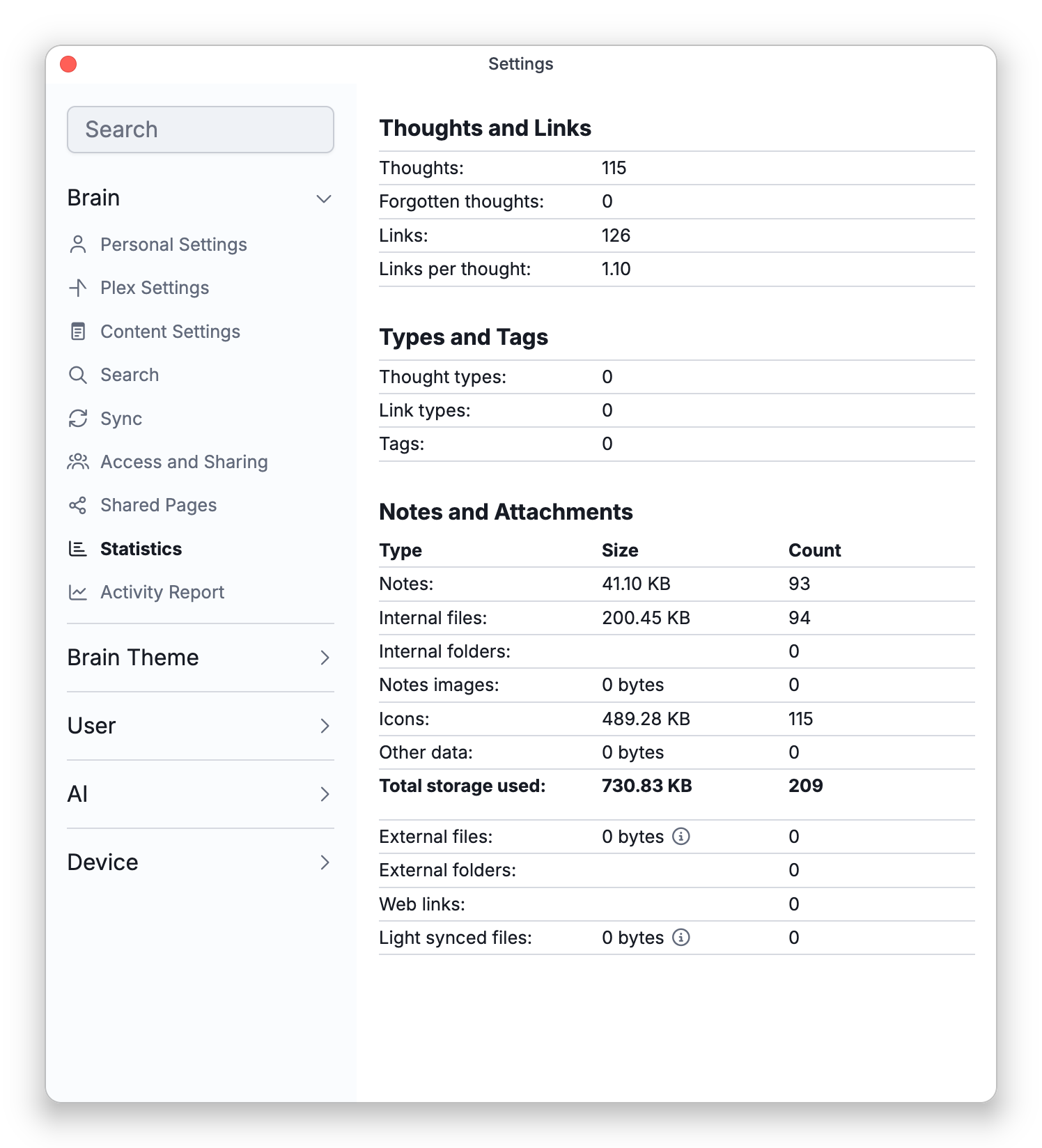
Statistics gives you a snapshot of how big a brain is and what it contains — how many thoughts and links it has, how many types, tags, notes, and attachments, and how much space the attachments take. It's a useful health check for a brain and a quick way to see how much you've built.
What It Shows
The Statistics view groups its counts:
- Thoughts and Links — Thoughts, Forgotten thoughts, Links, and Links per thought.
- Types and Tags — Thought types, Link types, and Tags.
- Notes and Attachments — a table with Type, Size, and Count columns breaking down the brain's storage: Notes, Internal files, Internal folders, Notes images, Icons, Other data, and a bold Total storage used row that matches the brain's cloud-storage figure. Below the total come External files (marked Not included in storage used), External folders, Web links, and — on synced brains — Light synced files with their remotely stored size (marked Stored remotely).
It also shows the date generated and the brain's ID. On the desktop and mobile apps, a brain stored on this device also shows its Brain folder — two folder names such as U01/B03 that identify which folder inside TheBrain's brain data holds this brain's files. Brains in the web app, and cloud brains not stored on this device, don't show it.
How to Open It
Open Statistics from the brain's settings (the Statistics tab). In the Mac desktop app you can also choose Brain > Statistics... in the menu bar. It opens read-only — it's a report, not a place to make changes.
- The Forgotten thoughts count here pairs with the cleanup options in Forgetting and Deleting Thoughts.
- Statistics counts what a brain contains. To see which thoughts were visited, and by which user, see Brain Activity Report.