AI Usage Limits
Overview
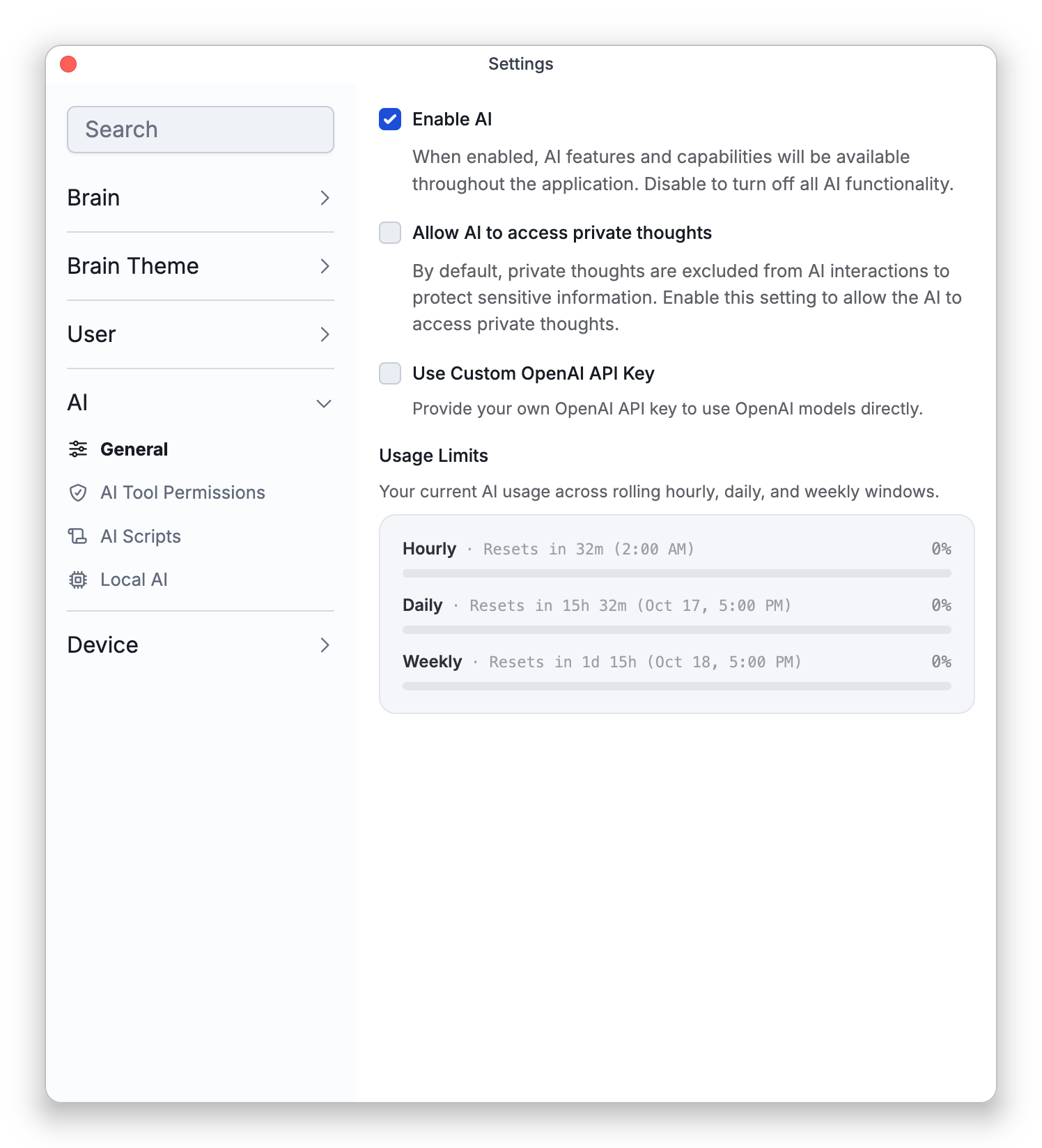
Cerebro's built-in cloud AI is a metered service, so usage is capped to keep it fair and sustainable. Your usage is tracked across hourly, daily, and weekly windows, shown as usage bars so you can see how much you've used, and your allowance returns as the windows roll forward.
Usage Bars
Usage Limits in Settings > AI > General shows usage bars for your hourly, daily, and weekly windows, each with how much is used and when it resets. The bars aren't shown there while you use your own OpenAI key. Each window has its own limit, so reaching the hourly limit doesn't mean you're out for the day. As you approach a limit, the AI chat panel shows how much of that window's limit you've used.
When You Hit a Limit
If you reach a limit, the chat panel shows a message naming the limit you reached, along with when it resets and the usage bars. You can click Refresh Status to check again and, if you don't have a paid plan, choose Upgrade for Higher Limits.
AI can also be unavailable for reasons unrelated to your usage. If the service is temporarily disabled, the panel shows the notice AI Temporarily Unavailable.
Plans
Cloud AI comes with a free allowance, and a TheBrain subscription raises your limits. See Plans and Cloud Services.
Using Your Own Key
If you connect your own OpenAI API key, those requests go directly to OpenAI and aren't counted against your TheBrain AI quota — you're billed by OpenAI instead. See AI Settings.
- Iteration Limit Reached in the chat is not a usage limit. It means a single request has used up its allowance of working rounds; click Continue to let Cerebro carry on. See Cerebro — TheBrain's AI Assistant.