Tutorials
Overview
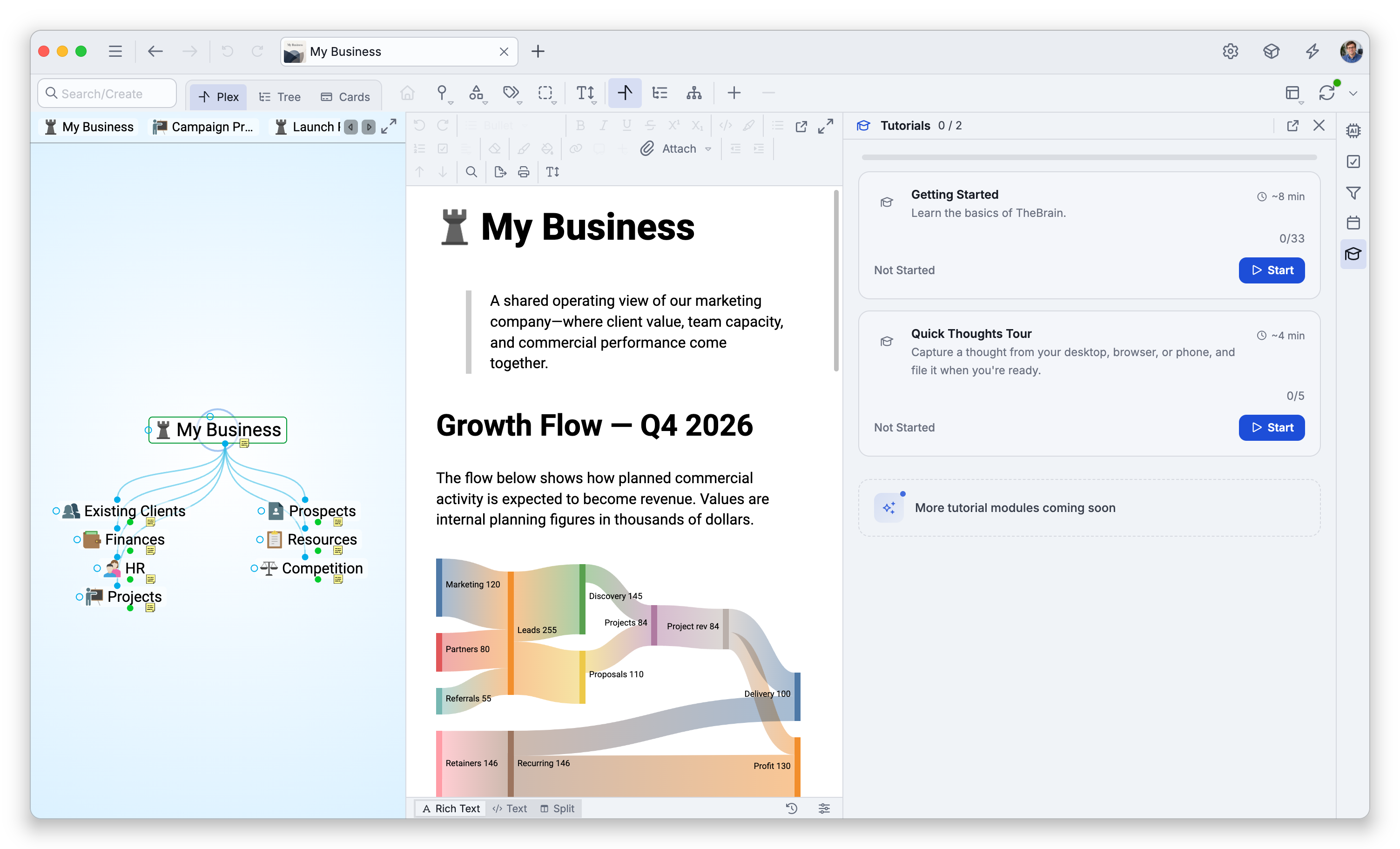
The Tutorials panel is home to TheBrain's interactive lessons. Each lesson is a module you can start, resume, or replay, and the panel tracks how far you've gotten through each one — so you can learn at your own pace and pick up where you left off.
Opening Tutorials
Open the Interactive Tutorials panel from the tools panel (its header reads simply Tutorials). Each module shows its status — Not Started, In Progress, or Completed — with how many steps you've finished, and buttons to Start, Resume, Restart, or Replay as appropriate.
On a phone there is no tools panel. Open a brain, tap the settings button at the right end of the toolbar (a gear icon), and choose Support > Interactive Tutorials; the panel opens in a dialog over the page. Interactive Tutorials is only offered while a brain is open.
Which Tutorials Are in the Panel
- Getting Started — The interactive walkthrough that has you build a first brain step by step (about 8 minutes; see Onboarding Walkthrough). It is not available on phones or tablets.
- Quick Thoughts Tour — A short video tour of capturing quick thoughts from your desktop, browser, or phone and filing them into a brain (about 4 minutes; see Quick Thoughts). It is listed when you are signed in and Quick Thoughts is available in the app you are using, and it also runs on phones and tablets.
The panel lists only the tutorials that can run on the device you are using, so on a phone or tablet it shows the Quick Thoughts Tour alone. You can also start that tour with Take the tour on the card the Quick Thoughts panel shows while your inbox is empty, until you have completed the tour.
- Below the list, the panel shows a "More tutorial modules coming soon" note.
- Separately, Video Tutorials (in the Help menu) open TheBrain's tutorial videos on the web — those are external videos rather than the in-app interactive lessons here.