Navigation Theme
Overview
The Navigation Theme controls the look of the navigation area — the backdrop behind the Cards and Tree views and the transparency of the cards themselves. The backdrop mirrors a theme you've already set (your Plex or Content theme), and you choose how transparent the cards are, so the navigation area fits the rest of the brain.
What You Can Set
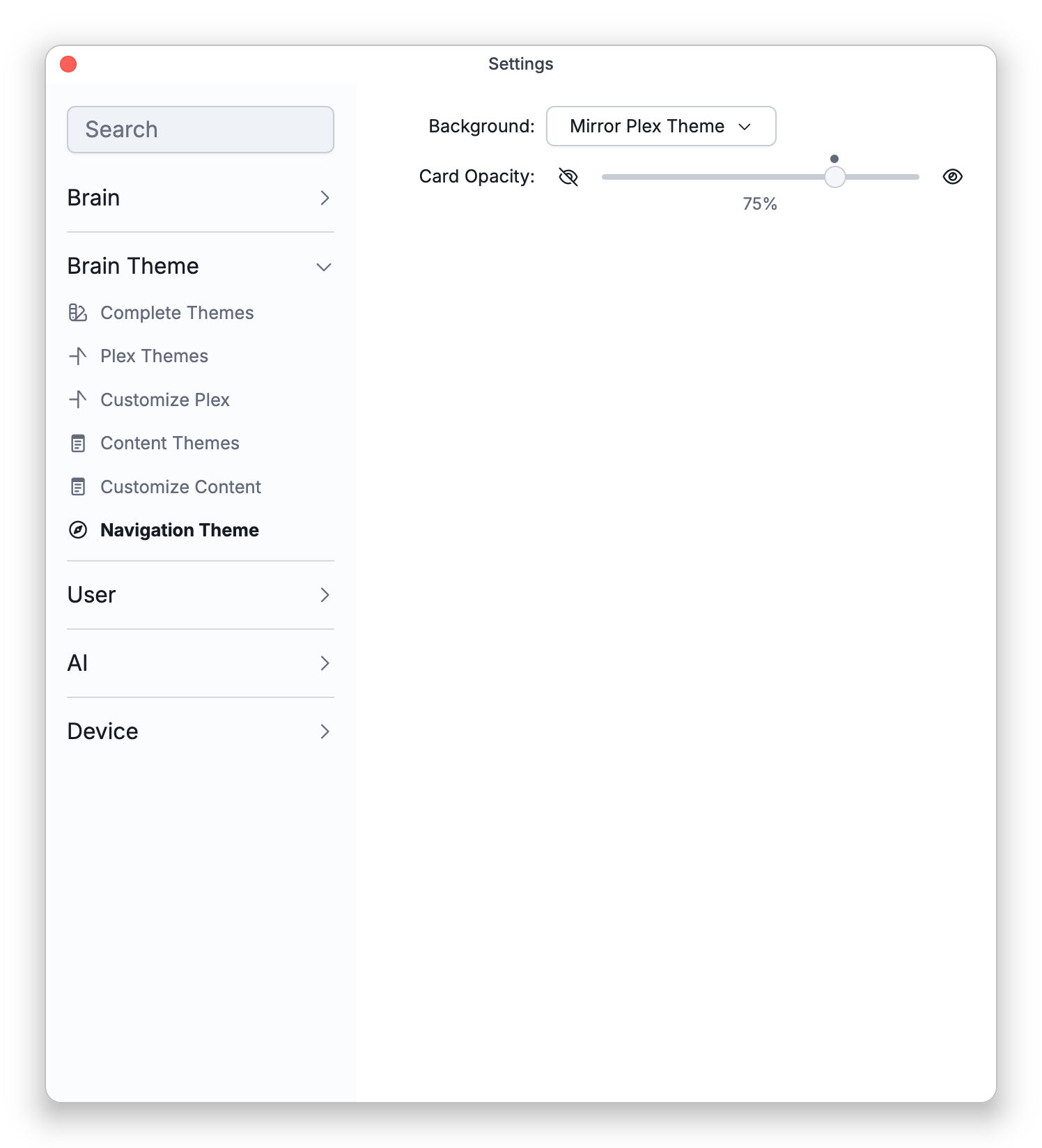
The Navigation Theme has just these two controls, and changing them needs admin rights on the brain. There is no separate styling for Tree view.
- Background — Choose Mirror Plex Theme (the default) or Mirror Content Theme; these two are the only options (there's no separate standalone background here).
- Mirror Plex Theme puts the Plex's backdrop behind the cards or tree: the brain's wallpaper — or a type's dynamic wallpaper while a thought of that type is active — and, when there is no wallpaper, the Plex background gradient.
- Mirror Content Theme uses the content theme's plain background color instead, and shows the section headings in the content theme's text color.
- Card Opacity — How opaque the cards are in Cards view, from see-through (0%) to fully solid (100%), in steps of 5%. Tree view has no cards, so only Background affects it. The default is 75%, marked by a small dot above the slider. The active thought's card always stays fully solid.
This area's look pairs with Cards View; see also Plex Theme and Wallpaper and Content Theme for the themes it can mirror.