Theme Templates and Complete Themes
Overview
Once you've styled a brain the way you like, save that look as a theme of your own so you can apply it again — to another brain, or after experimenting. Your saved themes belong to your account: they appear in the theme galleries of every brain and sync across your devices, the web included.
Complete Themes goes a step further: each entry pairs a plex theme with a matching content theme, applied together in one click for a coordinated look. TheBrain ships a set of ready-made pairs, and you can build your own.
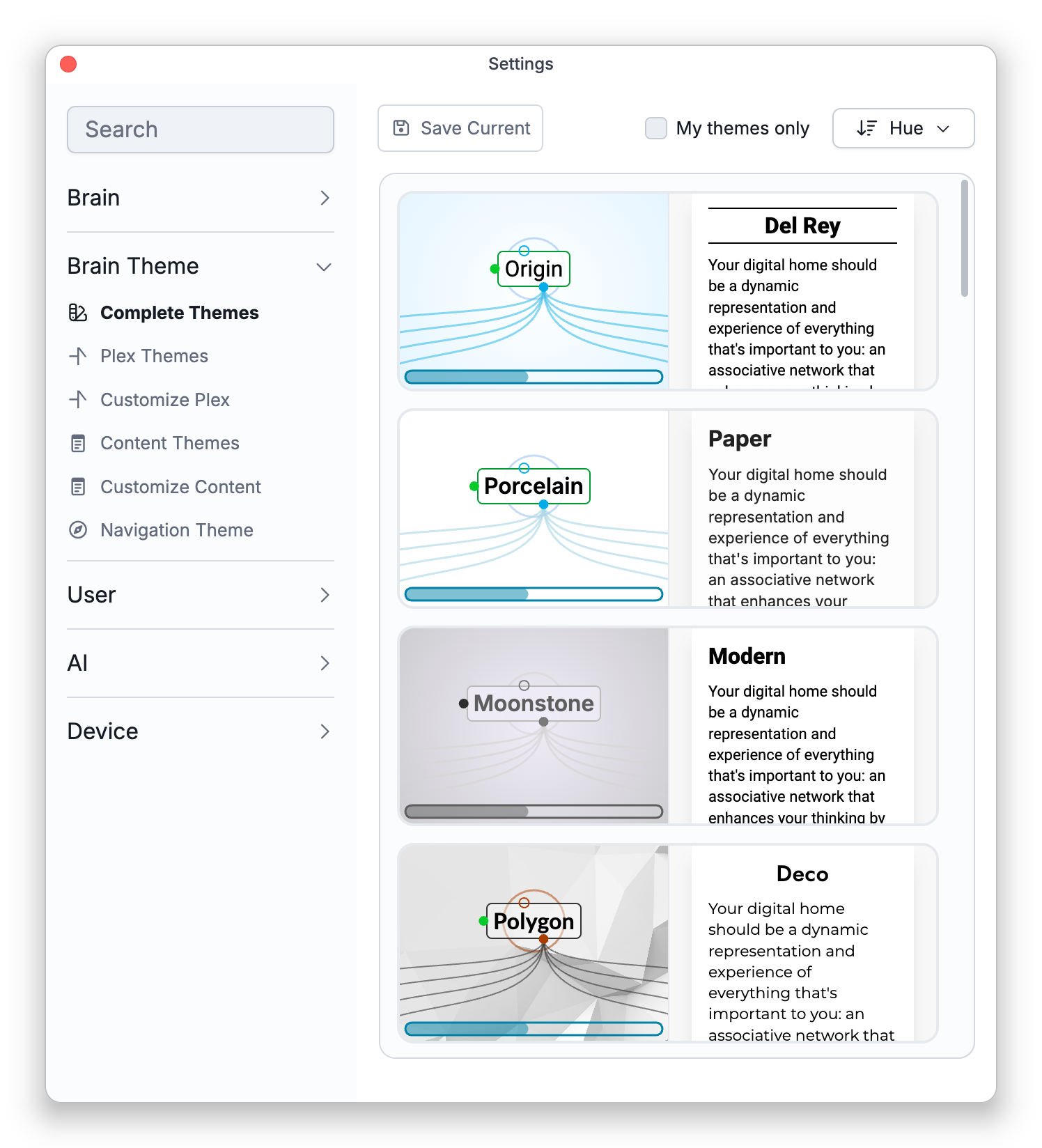
Applying and Saving
Every gallery works the same way. Sort it by Alphabetical, Brightness, Hue, or Recent, tick My themes only to see just your own (your themes carry a small badge), and click an entry to apply it to the open brain (applying needs admin rights on the brain). When the brain's current look matches no gallery entry, the gallery offers Save Current — on the Complete Themes tab this saves the plex/content pair, on the others just that half. If your edits started from one of your saved themes, saving offers Replace it or Save as New.
Applying a plex theme or a complete theme replaces the brain's whole plex look, including its wallpaper and fonts, and a complete theme replaces the content theme as well — see Plex Theme and Wallpaper for what is replaced. To keep the look you have now, use Save Current first.
On the Complete Themes tab you can also compose a pair by hand: an unfinished entry shows an empty slot with a chooser, and hovering either half offers Change to swap it.
Managing Your Themes
Right-click a card in the Plex Themes or Content Themes gallery — or use the buttons under the gallery — for the following. A pair on the Complete Themes tab offers only Delete.
- Rename — rename one of your themes.
- Delete — remove one of yours. It is deleted at once, with no confirmation, and Undo does not bring it back: a saved theme belongs to your theme library, not to the brain, so deleting it is not recorded in the brain's undo history. Deleting never changes any brain that used the theme, so if you deleted one by mistake you can get it back by opening a brain that still has that look and using Save Current, or by importing it again from an exported file. Deleting a pair on the Complete Themes tab removes only the pairing; its plex theme and content theme stay in their own galleries.
- Export — save any theme, built-in or your own, as a file:
.BrainThemefor plex themes,.nstylefor content themes. - Import — bring in a theme from such a file, with the Import button under the Plex Themes or Content Themes gallery. Importing only adds the theme to your own library, as a card with your badge; it does not change the brain until you click that card. A plex theme (
.BrainTheme) is named after the file and brings its wallpaper with it; a content theme (.nstyle, up to 5 MB) keeps the name stored in the file. A.BrainThemefile adds a plex theme only, even if an older file also carries note styling. If that name is already taken, a number is added to it. If a theme with exactly the same settings is already in the gallery, built-in or your own, nothing is added and no message appears. Tick My themes only to find the imported card quickly.
All of this works on every platform, including the web.
Applying themes is safe to experiment with: each apply is one undo step, and closing Settings after applying a theme from a gallery shows a notification with an Undo button, for about 12 seconds, that restores the look you started with — see Brain Themes Overview.