Context-Sensitive Thought Names
Overview
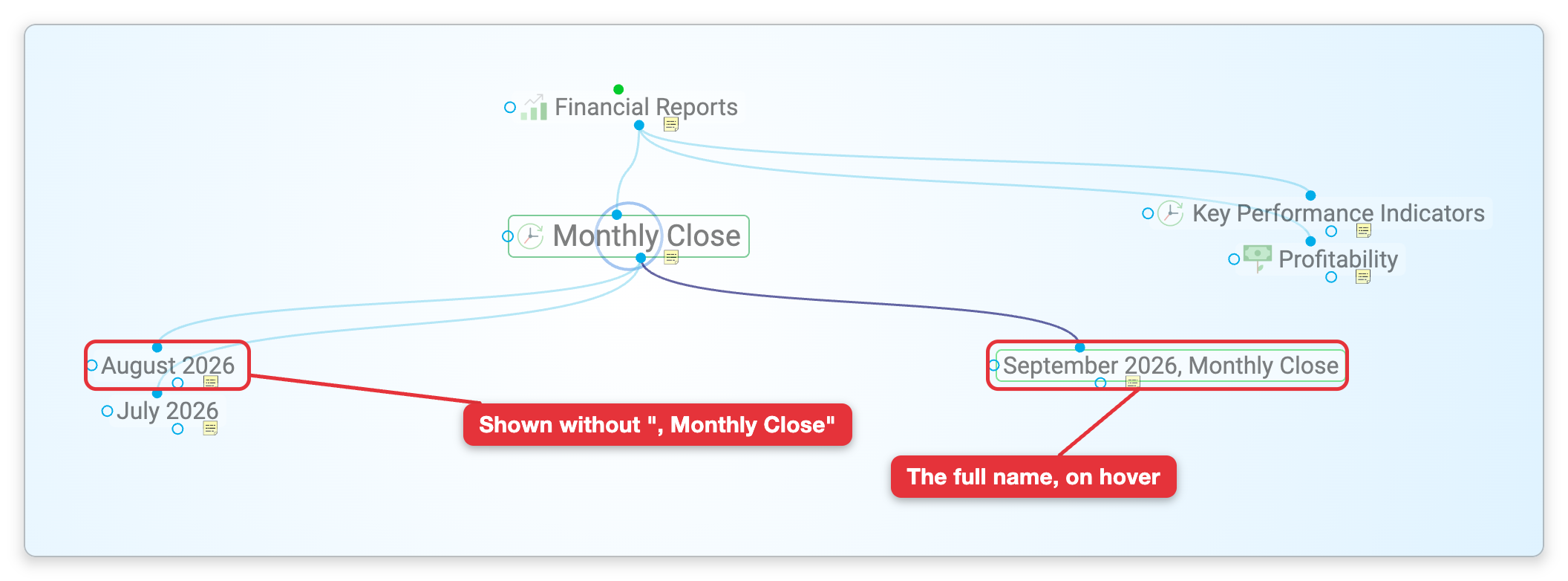
Some thought names carry their own context: "Budget, 2024", "Smith, John", "Minutes, Project X". Context sensitive thought names is a brain option that stops such names from repeating what the Plex already shows. When a thought's name is made of parts separated by commas, the Plex leaves out a part that is already the name of the thought it is linked to. With "2024" as the active thought, its child "Budget, 2024" is drawn as "Budget", and "Smith, John" shows as "John" next to "Smith".
The option is on by default. It changes only what is displayed; the thought's real name is not altered.
The same option is behind the Rename Related Thoughts? prompt that can appear when you rename a thought.
How Names Are Shortened
- Only names with commas — A name is shortened only if it contains a comma. Each part between commas is checked on its own.
- Compared with the linked thought — The parts are compared with the names of the linked thoughts one step closer to the active thought. For a parent, child, or jump of the active thought, that is the active thought itself.
- An exact match — A part is left out when it is the same as that thought's name, or the same as one comma-separated part of it, including capitalization. Singular and plural forms count as the same, so "Notes, Meeting" under "Meetings" shows as "Notes". A part that merely contains the other name is kept: "Budget, 2024" under "Plans 2024" is shown in full.
- The active thought — The active thought always shows its full name.
- Never empty — If every part of a name would be left out, the full name is shown.
- Numbers — A comma inside a number, such as 1,000, does not split a name.
To read a shortened name in full, point at the thought in the Plex with the mouse.
How to Turn It Off
- Open the brain, then open Settings (the default shortcut is
Ctrl+,,⌘,on Mac). - Choose Brain > Plex Settings.
- Under Appearance, clear Context sensitive thought names.
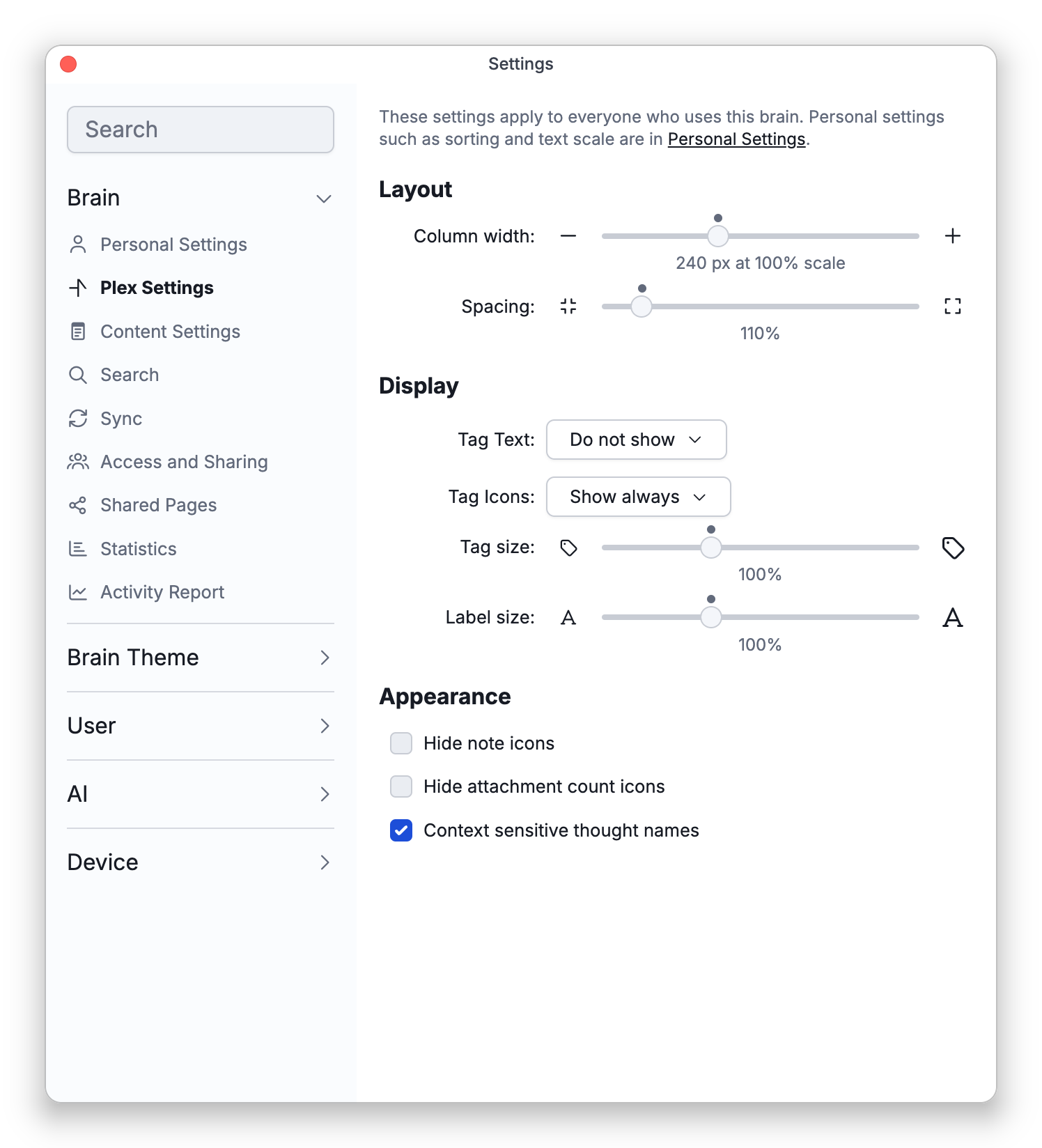
Thoughts then show their full names. The option is saved with the brain, so in a shared brain it applies to everyone who uses it. See Plex Settings.
The Rename Related Thoughts? Prompt
While the option is on, TheBrain also helps you keep related names in step. When you rename a normal thought in its name field and exactly one comma-separated part of the name changes (for a name with no commas, that part is the whole name), TheBrain looks at the thoughts linked to it for names that use the old text as one of their parts. If it finds any, it asks Rename Related Thoughts? and tells you how many it found, for example: "Project X" was found in 3 related thoughts. Rename these thoughts also?
- Rename — Changes the old text to the new text in those thoughts' names as well. Renaming "Project X" to "Project Y" this way also turns "Budget, Project X" into "Budget, Project Y".
- Cancel — Leaves the other thoughts as they are. The thought you renamed keeps its new name.
The prompt does not appear for type or tag thoughts, or when the option is off.
To rename a thought, see Thought Properties.