Data Integrity Scan
Overview
Over time, and especially after syncing across devices or after a troubled import, a brain can pick up small inconsistencies — a missing attachment file, an illegal name, a broken link. The Data Integrity Scan checks a brain for these errors and repairs them, helping keep a brain healthy. It's available on the desktop and mobile apps, requires admin rights on the brain, and works on a brain that is on this device (a brain that is only in the cloud has to be downloaded first).
How to Run a Scan
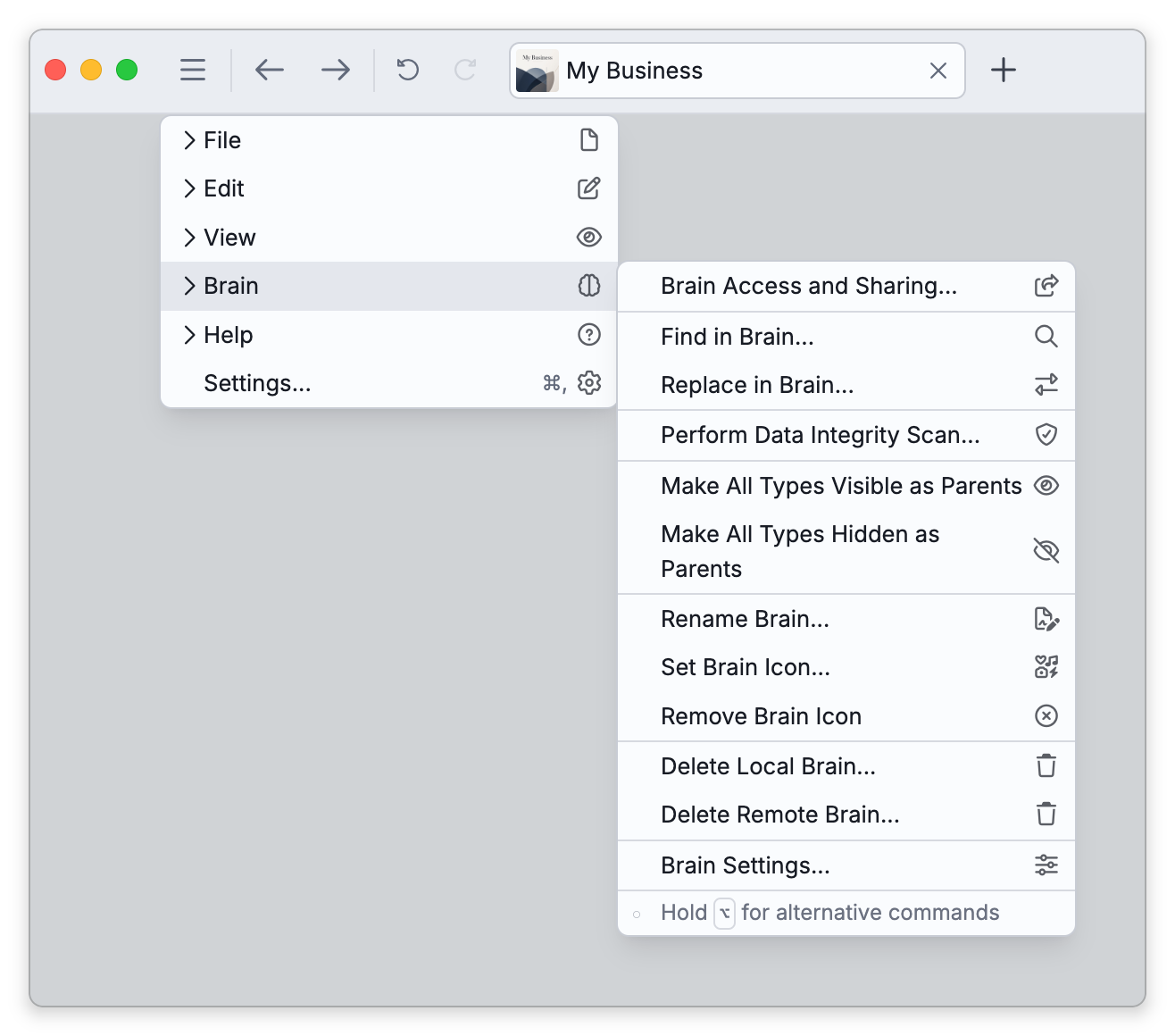
- Open Main Menu > Brain > Perform Data Integrity Scan. You can also right-click the brain in the brains list and choose it under Maintenance; on a phone, tap the menu button at the left end of the toolbar and look under More Actions on the Actions tab.
- The scan starts as soon as the dialog opens, without a confirmation — it can take a while on a large brain.
- When it finishes, review the results. Most issues are already fixed by then; anything needing your decision is listed so you can select it and resolve it.
Restart Scan runs the scan again.
What It Checks
The scan looks for problems such as missing or duplicate attachment files, illegal attachment names, invalid characters in thought names and labels, broken or invalid links, a missing home thought, and similar structural issues — repairing what it safely can.
What It Changes on Its Own
The scan does not ask before each repair. These are made automatically, and each is reported in the results list or under Additional Messages:
- Attachments whose file is gone — For a file stored in the brain, the attachment entry is removed when the file is missing on this device and, for a synced brain, missing in the cloud as well. A brain that is only on this device has no cloud copy to check, so the entry is removed directly.
- Duplicate attachment entries — When two entries on the same thought or link point to the same file, the newest is kept and the other removed.
- Invalid links — A link from a thought to itself, or to a thought that no longer exists, is deleted, and duplicate links between the same two thoughts are merged into one.
- Partly deleted items — A thought, link, or attachment that a failed delete left half-removed is restored.
- Thought names — An empty name becomes "Repaired Thought" followed by a few characters, line breaks and tabs in a name are replaced with spaces, and names and labels that are too long are shortened.
Two kinds of finding wait for you: an attachment with an unsafe name, which offers Rename (and Delete, when the name contains illegal characters), and a missing home thought, which offers Create Home Thought.
For a synced brain, the scan has to reach the cloud before it removes an entry for a missing file. While you are offline it leaves those entries alone and reports that the server could not be checked.
- TheBrain sometimes points you here directly — for example, a sync error about attachments with unsafe names offers a Run Scan button, and failed attachment downloads suggest running a scan.
- In some desktop menus this command appears as Verify Data Integrity rather than "Perform Data Integrity Scan" — it's the same scan.
- A separate maintenance task rebuilds the search index rather than checking data — see Rebuilding the Search Index.