Shared and Embedded Views
Overview
When you open a brain up — by making it public or unlisted, or by embedding it — the people who view it get a read-only version. They can navigate the brain and read its thoughts, notes, and attachments, but they can't change anything, and your private thoughts stay hidden. You can also embed a brain directly into a web page so it appears inline on your own site.
The Read-Only Viewer Experience
Where a note embeds a private thought's note, viewers see Missing thought: followed by the thought's name in its place (see Embedded Notes).
What Visitors See at the Top
What sits at the top of the page depends on how the brain is opened:
- The brain's ordinary web link — the web app's usual top bar stays in place, with the TheBrain logo, the brain's icon and name, and the account button, and the brain toolbar below it. The Made with TheBrain credit is not shown here.
- The embedded view (an
/embed/address) — that top bar is dropped, leaving only the brain toolbar. There is no Made with TheBrain credit here either. - A shared thought page — no toolbar at all. The credit appears here as a small TheBrain logo on the page that, when clicked, shows Created by followed by the username of the person who shared the page, and a Made with TheBrain link. The username is the one in the page's address, and it is shown automatically. See Shared Thought Pages.
- A thought's preview page, which search engines list for a public brain — a bar with the brain's name, a Preview label and an Open in TheBrain button that opens the thought in the brain itself. The page ends with a Made with TheBrain link, and it doesn't name the brain's owner. See Unlisted or Public: What Differs in Brain Access and Sharing.
Embedding a Brain
The Brain Access and Sharing settings provide an Embed code — a ready-made <iframe> snippet you can copy and paste into your own web page. It points at the brain's embed address (an /embed/ URL) and renders the brain inline, without the web app's top bar.
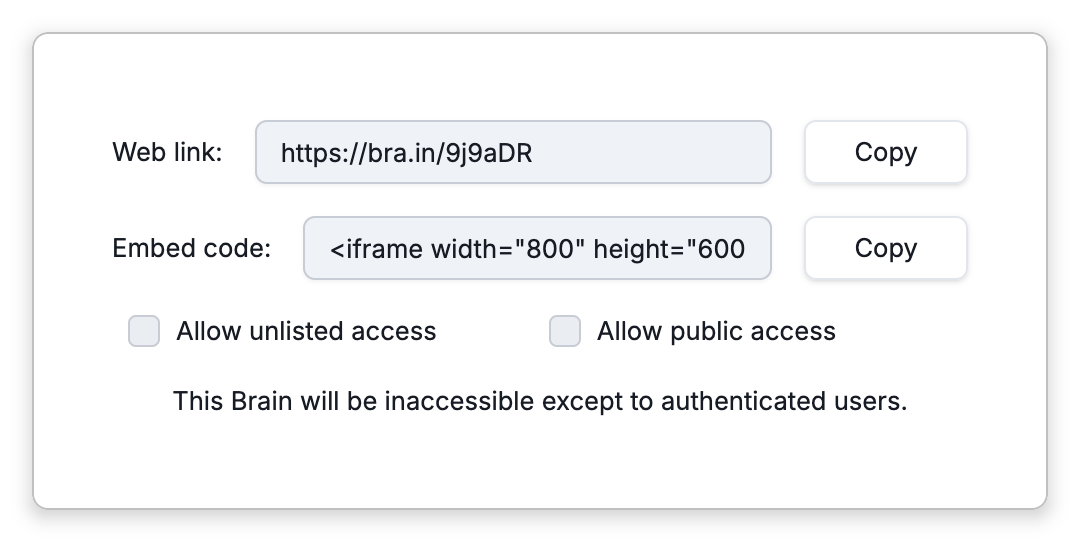
The Embed code is available for any cloud (synced) brain, whatever its visibility, but an embedded view shows content to visitors only when the brain is public or unlisted, so make the brain public or unlisted for embedded viewers to see it (see Brain Access and Sharing). A local-only brain shows an "upload to the cloud to enable sharing" prompt instead.
- To publish a single thought as a standalone page rather than the whole brain, see Shared Thought Pages.