Navigation Modes
Overview
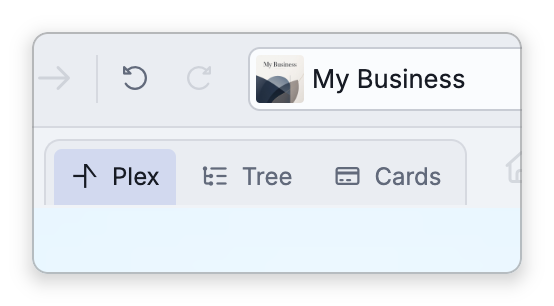
The same brain can be viewed in more than one way. A navigation mode changes how thoughts are laid out and browsed without changing anything in the brain itself — you're looking at the same thoughts and links through a different lens. TheBrain's main modes are the Plex, Cards, and Tree.
The Modes
- Plex — TheBrain's signature visual map: the active thought sits at the center with its parents, children, and jumps around it. This is the default. See The Plex.
- Cards — A scrollable list of thoughts shown as cards, grouped and ordered by date (modified, created, or accessed) or by your current selection. Good for "what have I been working on" review. See Cards View.
- Tree — A classic expandable outline of parents and children, useful for working through a hierarchy top-down. See Tree View.
How to Switch Modes
- From the brain toolbar — Click Plex, Tree, or Cards in the navigation mode buttons.
- From the menu — Open Main Menu > View > Navigation Mode and choose Plex, Tree, or Cards.
- On a phone — Tap the navigation mode button on the action bar along the bottom of the screen. Its icon shows the mode you are in, and it opens a menu titled Nav Mode: choose Plex, Cards, or Tree. While you are in the Plex, the same menu also offers the Normal, Outline, and Mind Map layouts and Expand All and Collapse All, which is how you change the layout without a right-click. The button is on the action bar to begin with; if you have removed it, tap More Actions (the … button) and choose Nav Mode. See Using TheBrain on a Phone.
Switching mode keeps you on the same active thought, so you don't lose your place — you just see it differently.
- The navigation mode is remembered for each brain. In a shared brain it's your own choice and doesn't change the mode other people see; you can also set it with Navigation mode in Settings > Brain > Personal Settings.
- Cards and Tree each have a small toolbar of their own with options for that mode (card detail levels, tree expand and collapse, and so on), while the Plex's layout and expand buttons are in the brain toolbar — see the per-mode topics.