Cloud Capacity
Overview
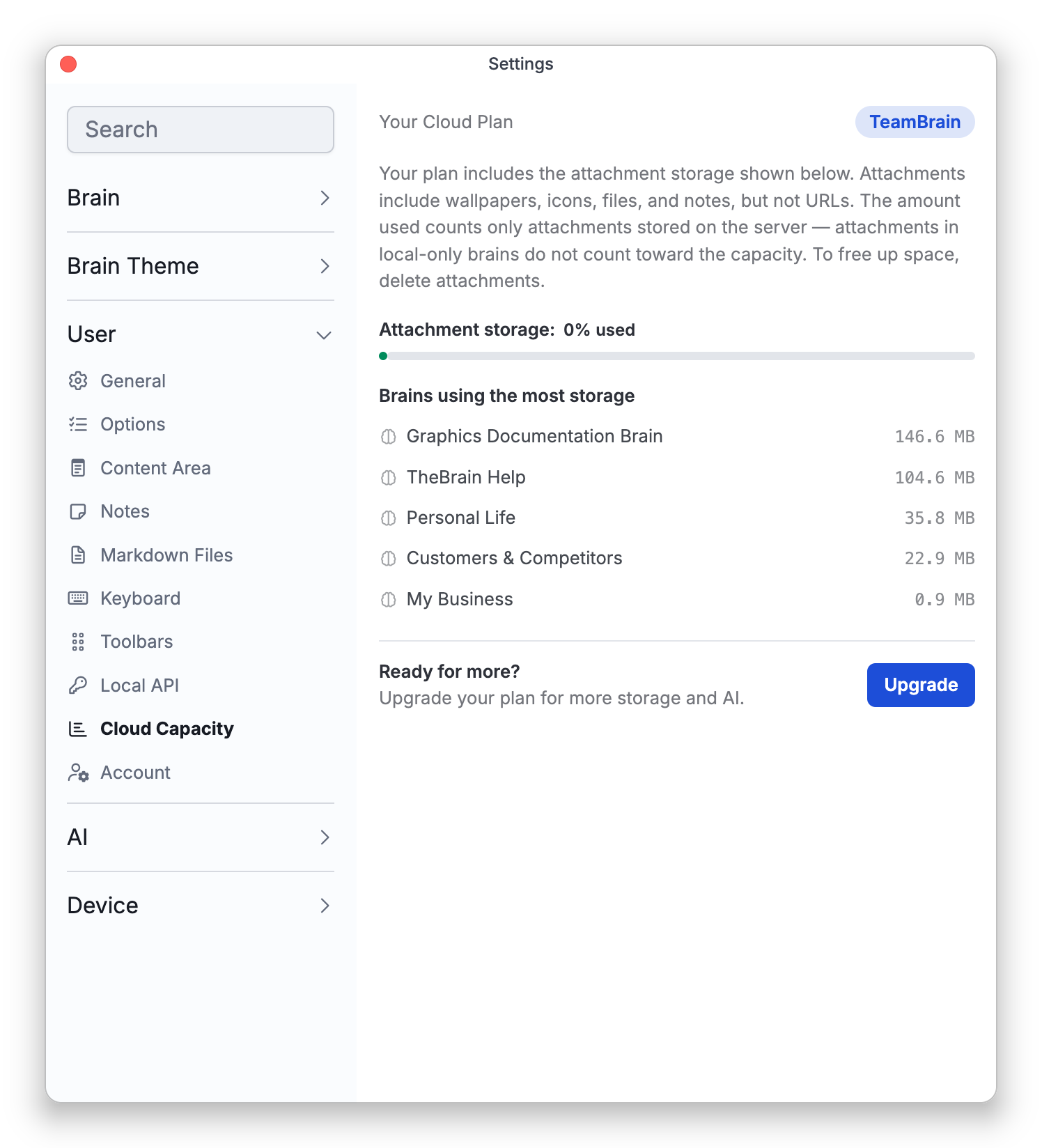
The Cloud Capacity settings (under Settings > User) show Your Cloud Plan and where you stand against its allowances, each with a bar showing the percentage used and your exact numbers, so you can tell when you're getting close and which brains are using the most space. Every plan has an attachment storage allowance; on the free plan there is also a limited-access thoughts allowance — paid plans have no thought limit.
What Counts
- Attachment storage — the space used by attachments stored on the server: wallpapers, icons, files, and notes, including the images in notes. Web-link attachments don't count, and neither do external files and folders — ones a thought only links to on your computer, which stay outside the brain (see Linking to External Files and Folders). Brains that are only local (not synced) don't count either.
- Limited-access thoughts (free plan only) — thoughts in non-public brains, plus private thoughts in public brains. Public thoughts in public brains don't count toward the limit.
The screen also lists the brains using the most storage, so you can see where space is going.
Whose Brains Count
Your figures cover the cloud brains you administer, so a brain that someone else shared with you as a Reader or Writer isn't included. See Brain Access and Sharing for the access levels.
When You're Near the Limit
As you approach a limit, TheBrain lets you know — the capacity bars warn from 90% up, and milestone notices appear as your usage grows. What happens at the limit depends on your plan:
- Free plan — both allowances, attachment storage and limited-access thoughts, are hard limits. Once you're over either one, your brains stop syncing, not just their attachments: the only syncs that go through are ones that remove thoughts or attachments from a brain. The over-limit notice tells you how much to remove. Automatic sync keeps trying, and syncing returns to normal once you're back under the limit or after you upgrade. In the web app, which doesn't sync, TheBrain instead refuses a new thought or attachment that would put you over the limit and shows This would exceed your cloud capacity.
- Paid plans — the capacity bars warn you as you near or pass your storage allowance.
To raise your allowances, use the Upgrade prompt on this screen — see Upgrading and Purchase.
- Cloud Capacity is about storage and thought counts; AI usage is metered separately — see AI Usage Limits.
- Exact allowance figures depend on your plan and account — this screen always shows your real numbers, so this topic gives none.