Forgetting and Deleting Thoughts
Overview
TheBrain separates getting a thought out of your way from destroying it. Forgetting a thought removes it from the Plex and from normal search results but keeps it in the brain, so you can bring it back later. Deleting removes it permanently. Most of the time you want to forget — it's the safe, reversible option — and reach for delete only when you're sure something should be gone for good.
How to Forget a Thought
- Right-click the thought.
- Choose Forget Thought.
The thought disappears from the Plex and from search, but it still exists in the brain as a forgotten thought. Forgetting a thought doesn't forget its neighbors: its links simply stop showing while it's hidden, and reappear when you remember it. The default shortcut is Ctrl+Shift+Delete (⇧⌘Delete on Mac).
To forget several thoughts at once, select them and choose Forget Thoughts from the selection panel — see Selecting Multiple Thoughts.
How to Bring a Forgotten Thought Back
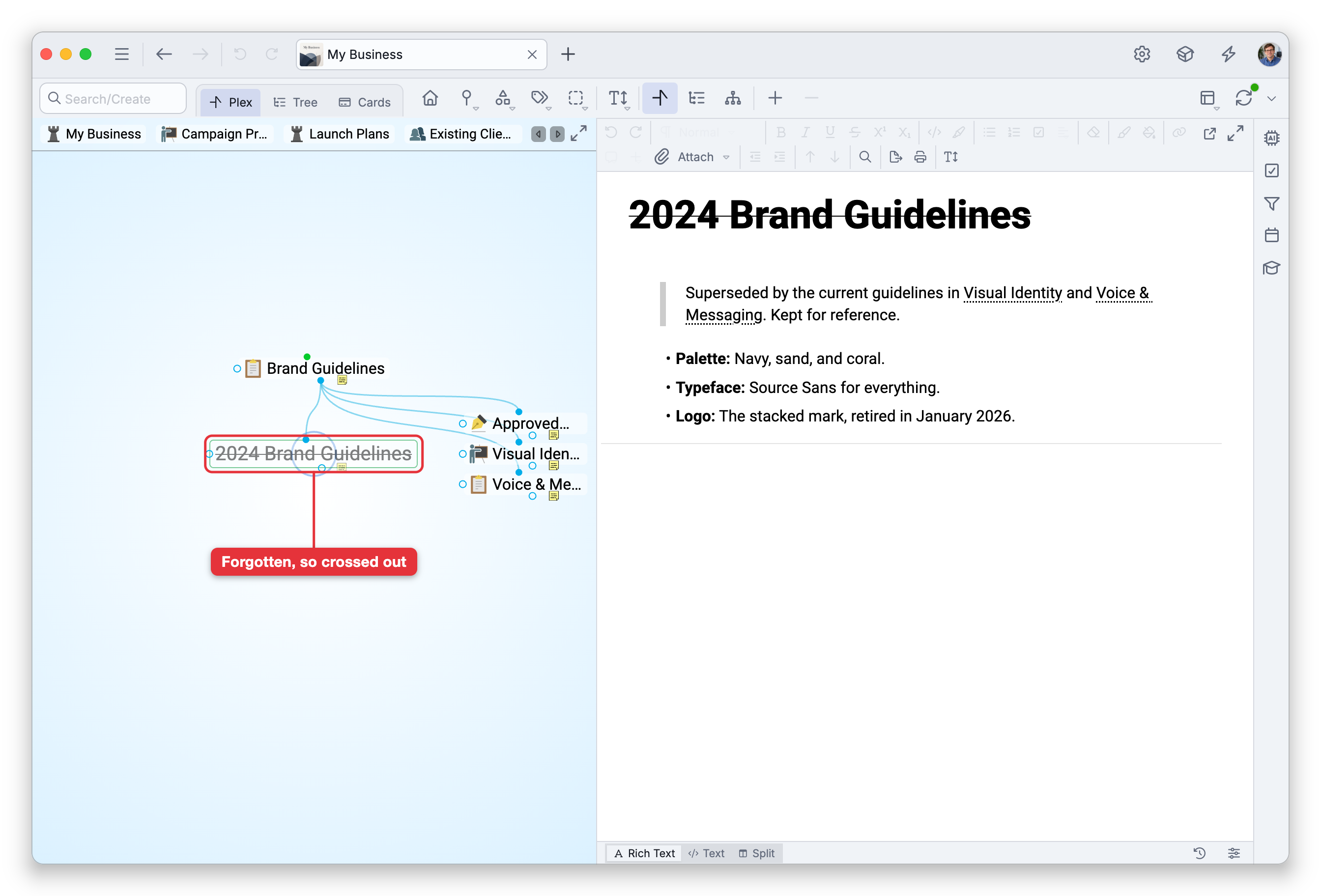
Forgotten thoughts are hidden, not gone. To see them, turn on Show Forgotten Thoughts (from the Plex right-click menu), which displays thoughts that have been forgotten in the Plex and search results, with their names crossed out. Then right-click the one you want and choose Remember Thought to restore it to normal. On a forgotten thought's menu, Remember Thought takes the place of Forget Thought, and Delete Thought is there without holding a key. Right after you forget a thought, Undo brings it back too.
How to Delete a Thought
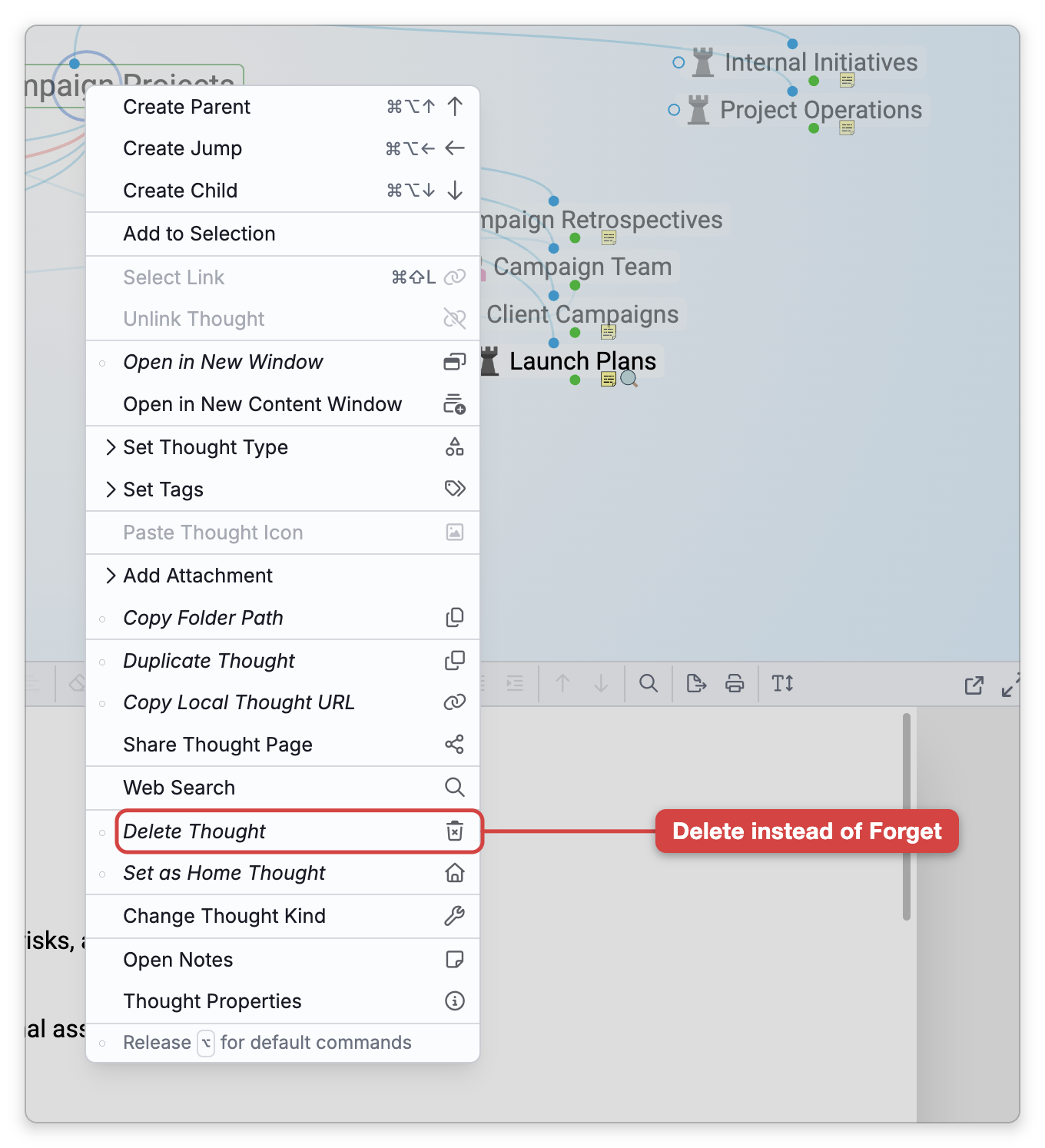
Delete Thought is an alternative command — it's deliberately kept out of the default menu so you don't reach it by accident. In a thought's right-click menu, holding the modifier key swaps Forget Thought for Delete Thought in the same spot:
- Right-click the thought.
- Hold
Shift(⌥on Mac) — Forget Thought changes to Delete Thought. On a touch device with no keyboard, tap the "Tap for alternative commands" notice at the bottom of the menu instead. - Choose Delete Thought. The thought is deleted at once — TheBrain does not ask you to confirm.
Deleting is permanent: a deleted thought cannot be remembered the way a forgotten one can. (One safety net: Undo brings the thought back for as long as the brain stays open on that device — syncing doesn't clear the undo history, though if the thought was changed elsewhere in the meantime TheBrain asks before proceeding. Once the brain is closed, the delete is truly permanent. See Undo and Redo.)
To delete many thoughts at once, select them, then hold Shift (⌥ on Mac) and choose Delete Thoughts. This also deletes at once, without a confirmation prompt.
In the Mac desktop app, Delete Thought is also listed in the menu bar's Thought menu, where no modifier is needed; it deletes without asking too.
If a delete can't be completed, nothing is deleted and TheBrain tells you so with a Could Not Delete Thought (or Could Not Delete Thoughts) notification.
A thought that is already forgotten can be deleted directly — when you right-click a forgotten thought (with Show Forgotten Thoughts on), Delete Thought is offered without needing the modifier, since there's nothing left to forget. The same goes for a type or tag thought: Forget Thought isn't offered for those, so Delete Thought shows without the modifier. The home thought can't be deleted; to remove it, make another thought the home first (see Home Thought).
Clearing Out Forgotten Thoughts
Forgotten thoughts still take up space in the brain. You can permanently remove all of them in one step using Delete Forgotten Thoughts, which the Report panel's menu offers while the report's only filter is Kind: Forgotten (TheBrain confirms first, e.g. Are you sure you want to permanently delete {count} forgotten thoughts?). See Reports. You can see how many a brain holds in its statistics — see Brain Statistics.
TheBrain uses the word "forgotten," not "trash," for set-aside thoughts.