Thought Aliases
Overview
A thought has one name, but the things it stands for often go by several. A person might be "John Smith" and "Smith, John"; a country might be "United States", "USA", and "États-Unis"; a project might have a code name and an official title. Aliases let a thought carry any number of these alternate names alongside its real name, so you can find it and TheBrain can recognize it whichever one you use.
An alias is treated like the name in three places:
- Search — Typing an alias in the search box finds the thought, ranked close to a name match. The result shows the real name, followed by the alias you hit.
- Unlinked mentions — When an alias appears in another thought's note without being linked, TheBrain points it out just as it does for the name, so you can link it from there.
- Links in notes — When you insert a thought link and find the thought by typing an alias, the link's text is that alias rather than the thought's name.
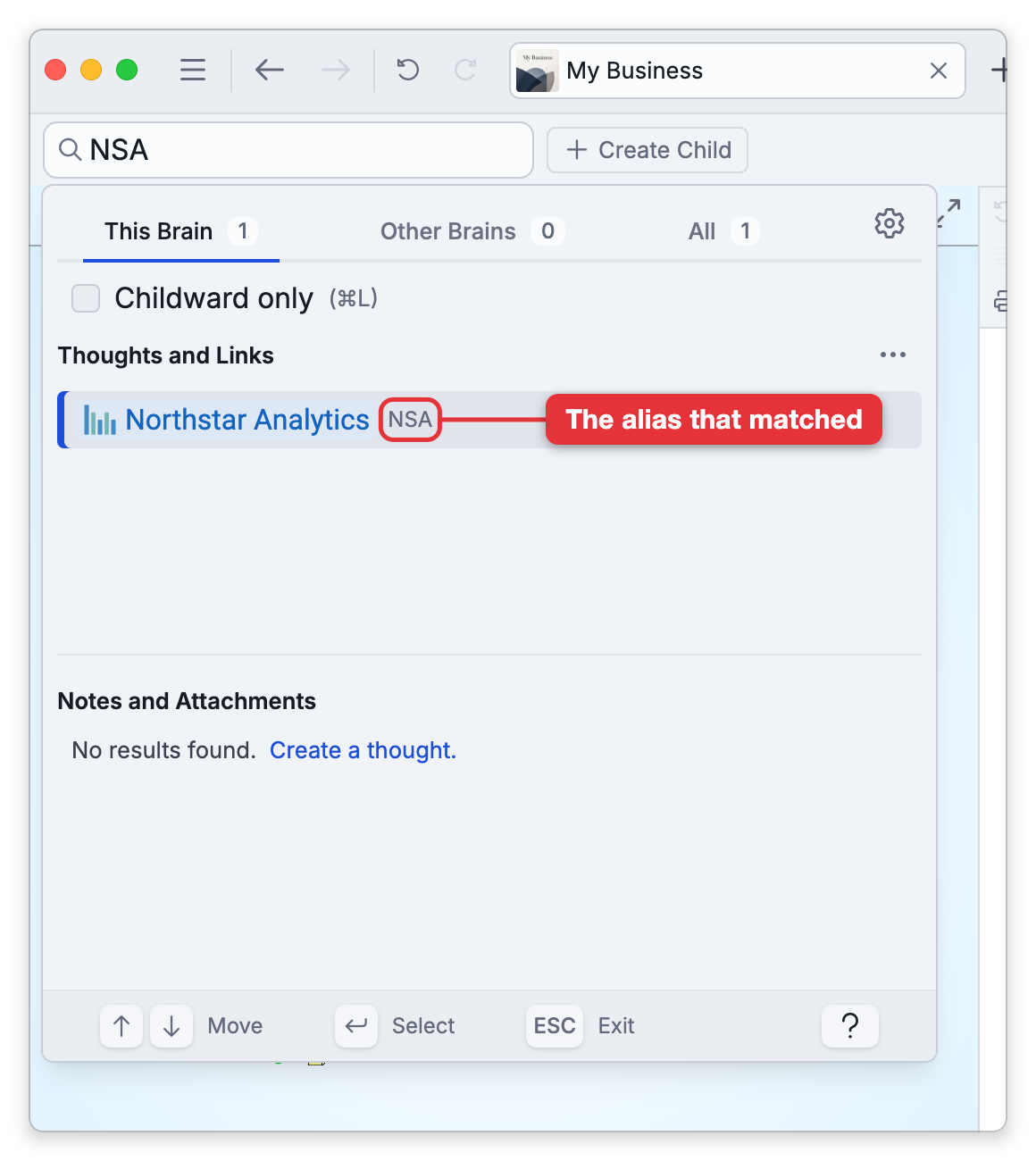
The thought's label works as an implicit alias everywhere an alias is honored, with nothing to set up. When the same text could belong to more than one thought, a real name wins over an alias, and an alias wins over a label.
How to Add Aliases
- Open the thought so its properties header is showing at the top of the content area (or open its Thought Properties dialog, whose default shortcut is
Alt+Enter,⌥Enteron Mac). - In the header's control row, click the Aliases button that sits with Type, Tag, and Icon. (The button is hidden while the aliases row is already visible.)
- The first time any alias is added to a brain, a warning tells you that older versions of TheBrain will no longer be able to sync or open the brain. The first alias sets a minimum app version for the brain: devices running an older version refuse to open or sync it until they update, and this is permanent for that brain (see Syncing Brains). Choose Continue to go on.
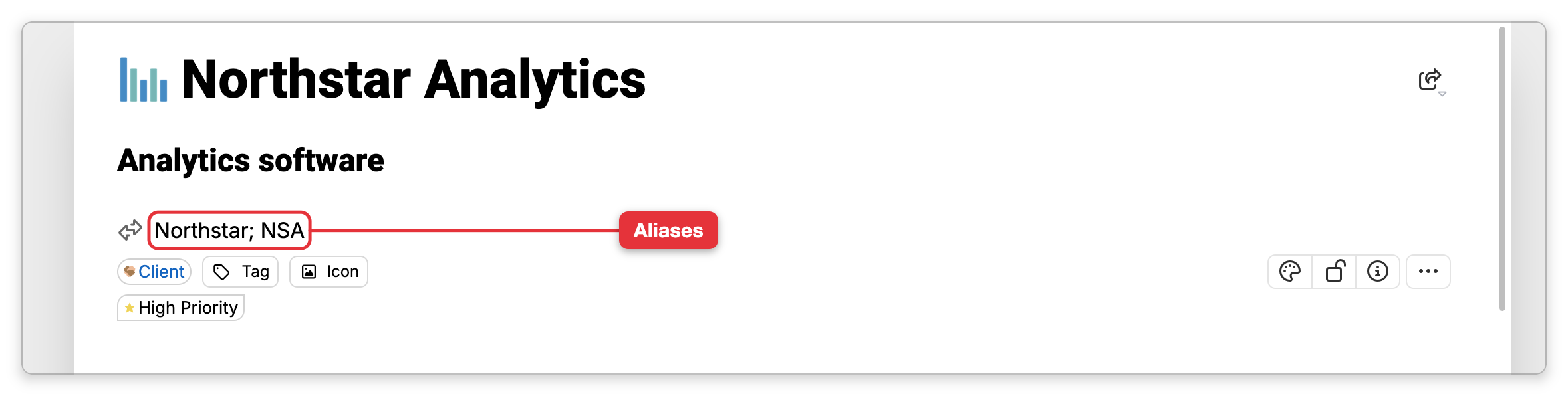
- An Aliases row appears beneath the label with the placeholder Add aliases. Type the aliases separated by semicolons, for example
USA; United States of America; États-Unis. PressingEnterinserts the next;separator for you so you can keep typing. - Press
Esc, or click elsewhere, to save. TheBrain tidies the list for you: extra spaces are trimmed, duplicates are dropped, and an alias identical to the thought's name is ignored.
Once a thought has aliases, the row is always shown in its properties, and the Aliases button steps aside. Click the row to edit it. If you clear every alias, the row disappears when you leave it and the button returns.
- You don't need an alias for accents or capitalization. Matching already ignores both, so "etats-unis" finds and mentions États-Unis on its own.
- An alias can't contain a semicolon, because the semicolon is what separates one alias from the next.
- Aliases sync between your devices, take part in undo and redo, and show in the thought's history as Changed aliases.
- Importing a Markdown folder or Obsidian vault reads each note's front-matter
aliases:list into the thought's aliases. See Importing Brains. - Linking an unlinked mention keeps the alias as the link's text; it isn't rewritten to the thought's name, and renaming the thought later leaves it alone too. See Links in Notes.
- Aliases don't appear in the Plex; they are for finding and recognizing the thought, not for display.