Options Settings
Overview
The Options page (under Settings > User) gathers a handful of personal preferences for search, the Timeline and its calendar, and attachment templates. Like the other User settings, they are yours and follow your account.
How to Open the Options Page
- Open Settings (the default shortcut is
Ctrl+,,⌘,on Mac). - Choose User > Options.
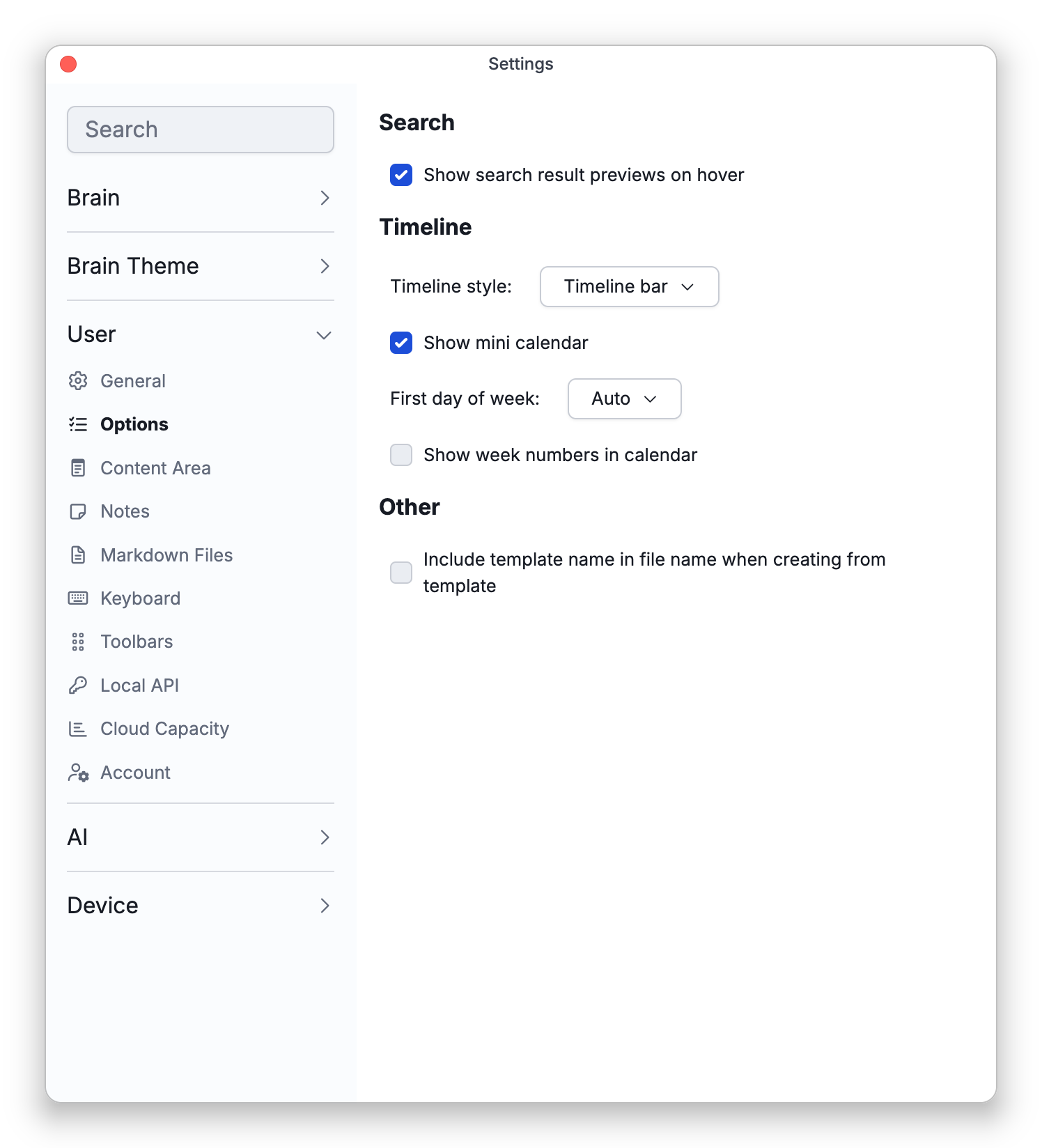
Search
- Show search result previews on hover — On by default. When you rest the mouse on a search result, a preview of that thought, or of the attachment that matched, appears next to it. Turn this off to stop the preview from appearing.
The same switch is in Search Options (the gear menu by the search results) as Show Search Previews on Hover. Previews need a mouse: they don't appear on phones or tablets, and the Search section isn't shown on phones. Results from other brains have no preview.
Timeline
- Timeline style — How the Timeline opens: as the Timeline bar along the bottom of the brain page (the default), or as the Day navigator panel in the sidebar. Switch to Day Navigator in the bar and Switch to Timeline Bar in the panel change the same setting. On phones the bar isn't docked along the bottom of the brain page; the same timeline opens in a sheet from More Actions > Timeline on the action bar instead — see Timeline and Calendar.
- Show mini calendar — On by default. Shows the month calendar in the Day navigator panel. This is the same setting as Show Calendar in the panel's header.
- First day of week — Auto (the default), Monday, or Sunday. With Auto, the desktop and mobile apps take the first day of the week from your device's regional settings.
- Show week numbers in calendar — Off by default. Adds a column of week numbers to the calendar.
First day of week and Show week numbers in calendar apply to the mini calendar in the Day navigator panel and to the calendars you pick dates from in the Created and Modified filters of reports and the To-Do list.
Week numbers count weeks that start on Monday, so the two settings are linked: turning week numbers on sets First day of week to Monday, and choosing Auto or Sunday turns week numbers off.
See Timeline and Calendar for the Timeline itself.
Other
- Include template name in file name when creating from template — Off by default. When you create an attachment from a template, TheBrain suggests the thought's name as the file name. With this on, a template of your own adds its name after it, as in "Thought Name, Template Name". See Adding Attachments.
How to Start the Calendar Week on Monday
- Open Settings and choose User > Options.
- Under Timeline, set First day of week to Monday.
- To see week numbers too, turn on Show week numbers in calendar.
How to Turn Off Search Result Previews
- Open Settings and choose User > Options.
- Under Search, turn off Show search result previews on hover.
- Settings for how new thoughts behave, the language and the interface theme are on the General page; see General and Appearance.